
Modificações DIY: adicionando filtros de ventoinha ao seu computador.
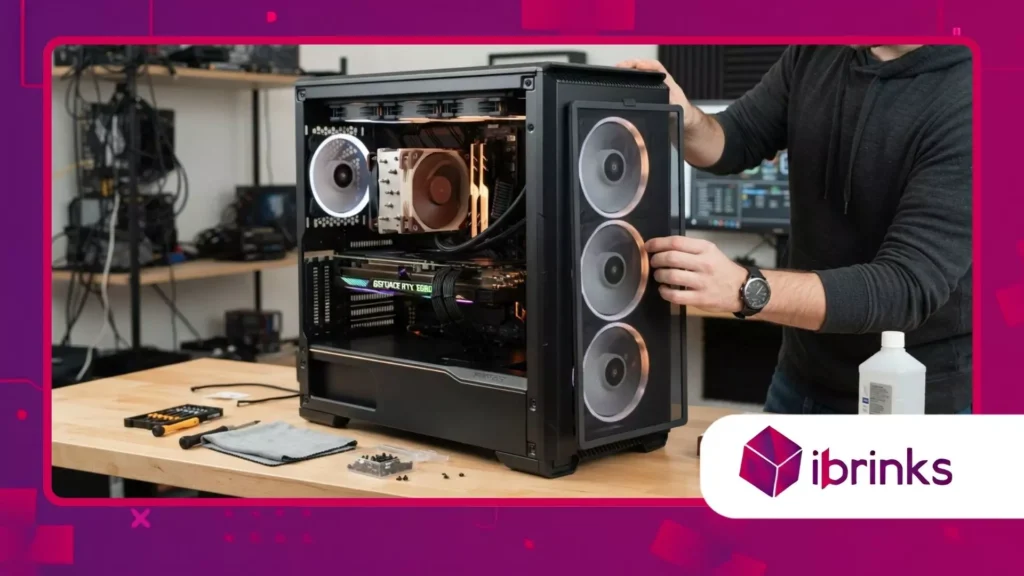
Fan filters represent the unsung heroes of modern PC maintenance, serving as the primary defense against the relentless accumulation of dust inside your high-performance gaming rig.
Anúncios
As we navigate 2026, the density of modern hardware featuring massive triple-fan GPUs and liquid cooling radiators makes airflow management more critical than ever for thermal stability.
Think of your gaming PC like a professional runner’s lungs; if you clog those airways with debris, even the strongest athlete will eventually struggle to breathe effectively.
Ignoring dust buildup inside your chassis is a guaranteed path toward thermal throttling, reduced component longevity, and eventually, expensive hardware failures that could have been avoided with simple preventative measures.
Essential Hardware Protection
- Why dust is the silent killer of gaming PCs
- How to select the right mesh for your case
- Installation tips for optimal airflow maintenance
Why Should You Install Custom Dust Protection?
Dust accumulation acts as an thermal insulator, trapping heat against sensitive PCB surfaces and forcing your cooling fans to work at significantly higher RPMs than necessary.
Anúncios
By integrating high-quality fan filters, you effectively create a physical barrier that stops particulates before they reach your delicate heatsinks and motherboard components.
Beyond thermal benefits, regular cleaning requirements drop drastically when you implement proper filtration, saving you hours of tedious maintenance every quarter.
This proactive approach preserves the aesthetic appeal of your build while ensuring that your investment maintains its peak performance levels throughout its operational lifecycle.
The Physics of Airflow Obstruction
Every layer of dust on a radiator fin reduces its ability to dissipate heat, creating a bottleneck that ripples through your entire system’s cooling loop.
When air cannot pass freely through your intake vents, the internal pressure drops, causing the system to pull in unfiltered air through every small crack in the chassis.
Studies from hardware testing labs confirm that unprotected intakes can lose up to 30% of cooling efficiency within just three months of operation in a standard home environment.
By installing fan filters, you maintain the laminar flow required to keep your GPU and CPU operating within their designed temperature envelopes consistently.
++ Como construir uma cadeia de áudio silenciosa e sem latência
Protecting Your Financial Investment
Upgrading your gaming rig often involves expensive components like high-wattage power supplies and flagship graphics cards that demand pristine cooling conditions.
Protecting these parts is not just about performance; it is about extending the lifespan of hardware that costs thousands of dollars in the current market.
A well-filtered system prevents micro-abrasions and short circuits caused by conductive dust settling on capacitors and voltage regulator modules.
Is there any better feeling than knowing your custom-built machine is safeguarded against the inevitable decay caused by common household debris?
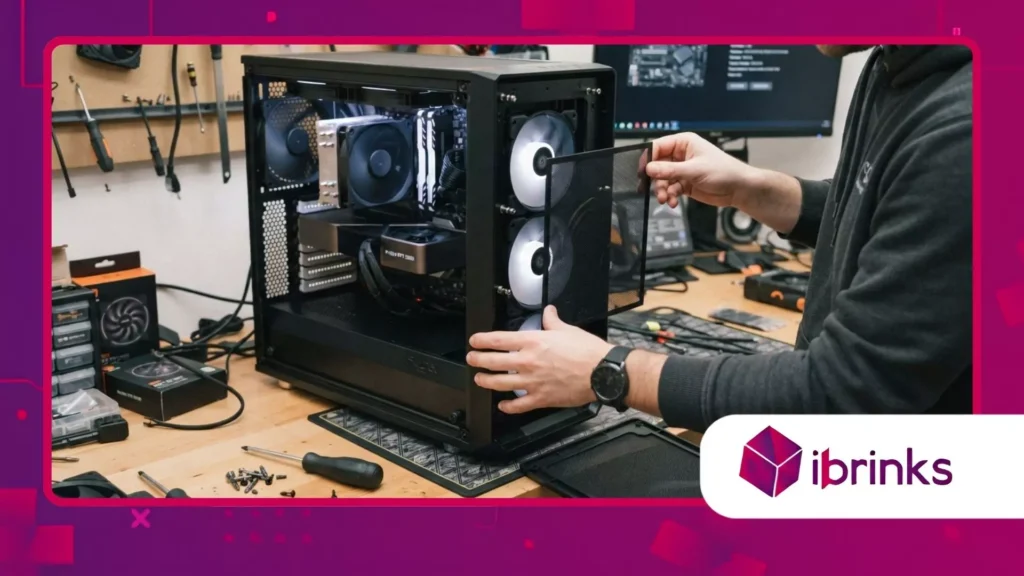
How Do You Choose The Right Materials?
Selecting the correct material for your filtration needs involves balancing airflow restriction against particle capture efficiency, a delicate trade-off for any PC builder.
Nylon mesh is generally preferred for its durability and ease of cleaning, while finer magnetic sheets offer a cleaner look but may restrict airflow more significantly.
Always consider the static pressure capabilities of your cooling fans when deciding how restrictive your filter material should be on the front intake panels.
High-static pressure fans can easily overcome moderate filtration layers, ensuring that your system maintains a positive pressure environment, which keeps dust away from non-filtered gaps.
Leia também: Como otimizar a latência do controle no PC
Understanding Mesh Density Ratings
Mesh density is typically measured in LPI (lines per inch), where a higher number denotes a finer filter that blocks smaller particles but increases resistance.
For most gaming builds, an LPI count between 40 and 60 provides the perfect balance between keeping the interior clean and allowing sufficient air intake.
Remember that a filter is only as good as its frame, so choosing magnetic or slide-out designs facilitates the routine maintenance you will need to perform.
If the filter is difficult to remove, you will eventually stop cleaning it, rendering the entire installation pointless over the long term.
Leia mais: Escolher o apoio para os pés certo para maior conforto durante os jogos.
Compatibility With Modern Chassis
Most premium cases sold in 2026 include basic stock mesh, but these often lack the density required to stop fine pet dander or microscopic dust.
Modifying your rig with aftermarket fan filters allows you to upgrade those stock limitations with precision-cut alternatives that perfectly match your specific case layout.
Always verify the dimensions of your intake ports before ordering, as even a slight misalignment can leave gaps that negate the effectiveness of your mod.
Custom 3D-printed frames or adhesive magnetic strips can bridge the gap if you are working with an older or non-standard case design.
| Filter Type | Material | Airflow Restriction | Maintenance Frequency |
| Nylon Mesh | Woven Synthetic | Very Low | Mensal |
| Fine Foam | Open-cell Polyurethane | Moderado | Bi-weekly |
| Magnetic Sheet | PVC / Metal Grid | Low to Moderate | Mensal |
| Metal Grille | Perforated Steel | Mínimo | Trimestral |
What Are The Practical Benefits Of Proper Filtration?
The primary advantage of implementing these mods is the stabilization of your system’s thermals, which leads to more consistent clock speeds during intense gaming sessions.
When your hardware remains cool, the boost algorithms inside modern CPUs and GPUs can sustain higher frequencies for longer durations without hitting safety limits.
Furthermore, noise pollution decreases noticeably when your fans are not fighting against clogged heatsinks, leading to a much quieter gaming environment.
Reducing the audible drone of your rig significantly enhances immersion during competitive play or content creation workflows where focus is absolutely paramount to your success.
Preventing Thermal Throttling
Thermal throttling happens when sensors detect dangerous heat levels and force components to throttle power, leading to stuttering and frame rate drops.
By installing fan filters, you eliminate the dust blanket that triggers these throttling events, ensuring your games run smoothly even during the most demanding sequences.
This consistency is vital for esports titles where every millisecond of performance counts toward your competitive edge in a fast-paced lobby.
Maintaining thermal headroom provides you with the stability needed to push your overclocks further than you could on an unmaintained, dusty machine.
Extending Component Lifecycle
Components like high-speed spinning fans and sensitive pump motors in AIO coolers are susceptible to wear from dust ingress into their bearings.
Keeping this debris out prevents early mechanical failure, ensuring your components last well beyond their standard warranty periods in your home setup.
Think about the long-term cost of replacing a high-end GPU fan versus the negligible cost of a filter mesh; the value proposition becomes clear immediately.
Smart builders understand that maintenance is an active part of the hobby that yields dividends in both performance and long-term financial savings.
How To Install Custom Dust Filters Correctly
Proper installation starts with ensuring there are absolutely no gaps between the filter and the intake point, as air will always follow the path of least resistance.
Using magnetic tape or custom 3D-printed shrouds allows you to seal the perimeter tightly, ensuring all incoming air must pass through the filtration medium.
If your case has a front panel that clips on, consider mounting the filter directly to the chassis frame rather than the panel itself.
This keeps the filter stationary when you remove the front cover, making your weekly maintenance routine much faster and less prone to accidental damage or misalignment.
Identifying Intake Versus Exhaust
Only intake fans require filtration, as exhaust fans are designed to push air out, which naturally prevents dust from entering through those specific points.
Installing filters on exhaust vents will only increase backpressure and hinder your cooling efficiency, so be sure to map your airflow direction correctly before starting.
A simple smoke test using an incense stick or a light fog machine can help you visualize your internal airflow path if you are unsure.
Once identified, prioritize the primary high-volume intake fans for your initial fan filters installation to get the highest return on your effort.
Testing For Positive Pressure
Creating a positive pressure environment where more air enters the case than leaves is the ultimate goal of effective filtration modding.
This ensures that any air entering the case is forced through your filters, rather than leaking in through unshielded PCIe slots or rear panel gaps.
Adjusting your fan curves in the BIOS or through software allows you to balance the RPMs of intake versus exhaust fans easily.
Proper tuning ensures your filters stay clean longer and your internal components remain free of debris for extended periods of time, maximizing the impact of your modifications.
Conclusão
Optimizing your gaming rig with proper dust management is one of the most rewarding and impactful mods any enthusiast can perform in 2026.
By choosing the right materials, understanding airflow dynamics, and maintaining your filters regularly, you protect your investment and ensure peak performance throughout your hardware’s life.
Have you noticed a significant difference in your system temperatures after cleaning or modifying your intake setup?
Share your experiences and specific hardware configurations in the comments below, as your tips might help another builder optimize their own machine for better stability and longevity!
Perguntas frequentes
How often should I clean my dust filters?
We recommend cleaning them monthly, although environments with pets or carpeting may require bi-weekly inspections to maintain optimal airflow.
Do the filters reduce cooling performance?
Yes, any physical barrier slightly increases resistance, but the use of high-quality mesh offsets this by preventing dirt buildup on the radiators.
What is the best way to clean the filters?
Use compressed air or a soft brush to remove dry debris, or wash with warm water and mild soap if the dirt is stubborn.
