
Why 1080p monitors still dominate competitive gaming setups
Annunci
1080p monitors remain the undisputed backbone of professional esports arenas and high-stakes competitive gaming environments around the world.
While hardware manufacturers continuously promote ultra-high-definition 4K displays and curved OLED panels to casual audiences, elite esports competitors consistently reject these higher resolutions in favor of focused, high-refresh Full HD displays.
The fundamental physics of modern computer graphics dictates that pushing lower pixel counts allows graphics processors to render frame rates far exceeding 360Hz without dropping frame pacing.
Understanding this deliberate choice requires looking past aggressive retail marketing and examining how human visual processing interacts with real-time digital rendering systems.
What Will You Discover in This Guide?
- Why Refresh Rates Outweigh Resolution in High-Stakes Esports
- How 1080p Displays Optimize Visual Tracking and Motion Clarity
- What Economic and Hardware Realities Drive Tournament Standards
- Comparing Competitive Display Metrics Across Resolutions
- Frequently Asked Questions About Competitive Gaming Displays
Why Do Professional Gamers Prioritize Frame Rates Over Higher Pixel Densities?
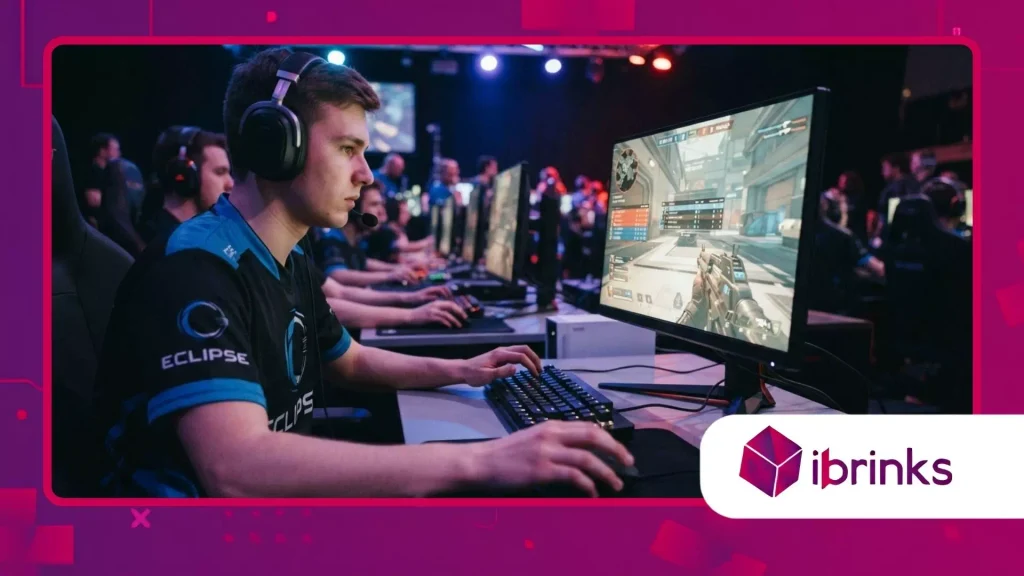
What Is the Technical Advantage of Ultra-High Refresh Rates at Full HD?
Optando per 1080p monitors allows high-end graphics processing units to continuously push render speeds well past 480 frames per second.
Annunci
Modern graphics pipelines hit severe computational bottlenecks when calculating complex lighting, physics, and texture mapping across 8.3 million pixels on 4K displays.
Lowering the resolution down to 2.07 million pixels frees up immense GPU resources, drastically lowering rendering times to sub-millisecond levels.
Consequently, players experience near-instantaneous visual feedback that matches their physical wrist movements without micro-stuttering or frame drops.
Achieving extreme frame stability ensures that variable refresh rate technologies like NVIDIA G-Sync or AMD FreeSync operate at their absolute latency floor.
Esports titles such as Counter-Strike 2, VALORANT, E Apex Legends demand continuous spatial tracking where a single frame delay causes missed shots.
According to public player setup databases like ProSettings.net, over 70% of professional FPS competitors actively play on 1080p displays during official tournament matches.
Visual information delivered two milliseconds faster routinely determines the outcome of multi-million-dollar championship rounds.
++ L'ascesa dei display OLED QHD tra gli appassionati di videogiochi per PC
How Does Lower Input Lag Directly Impact In-Game Reaction Speeds?
System latency represents the exact time delay between physical mouse clicks and rendered pixel updates appearing on the screen surface.
Selezione 1080p monitors reduces rendering pipeline overhead, cutting crucial display pipeline queues and minimizing frame buffer retention time.
Think of driving a high-performance sports car on a narrow racetrack: a lighter vehicle responds instantly to steering inputs, whereas a heavy truck carrying excess cargo lags behind every sharp turn.
Lowering resolution acts as weight reduction for your graphics card, eliminating visual drag.
Human reaction times among elite professional gamers average roughly 150 milliseconds, making digital latency reduction vital for maintaining competitive advantages.
When display lag drops from 16 milliseconds down to under 2 milliseconds, the total reaction window compresses significantly in high-velocity combat scenarios.
Competitive players instantly recognize this responsiveness as an tactile feeling of “direct mouse-to-glass control.” This mechanical harmony enables muscle memory to execute precise flick shots accurately without unconscious spatial compensation.
How Does Display Size Enhance Human Ergonomics and Visual Focus?
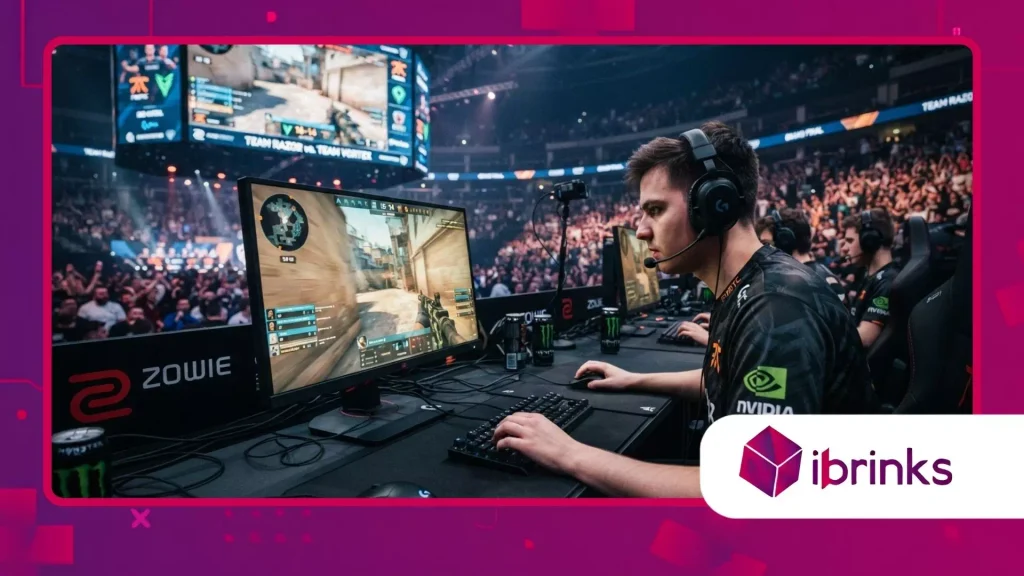
Why Is a 24-Inch Screen Size Ideal for Human Peripheral Vision?
Maintaining total situational awareness during intense matches requires keeping the entire gaming canvas within human central field of vision.
High-refresh 1080p monitors are engineered around 24-inch panel dimensions, allowing players to track HUD elements, radar minimaps, and peripheral enemy movements without moving their necks or darting their eyes excessively.
Larger 27-inch or 32-inch 4K panels force continuous eye scanning, which introduces visual fatigue and creates temporary blind spots during critical combat encounters.
Foveal vision covers only about two degrees of the central visual field, meaning high-detail perception remains extremely localized during intense focus.
By utilizing compact display surfaces, competitors keep all critical UI elements within their primary focal cone at standard desk distances.
This geometric optimization reduces optical fatigue over long tournament sessions while preserving peripheral motion detection capabilities.
Players instantly detect subtle pixel shifts on screen edges without losing concentration on their central crosshair placement.
Leggi anche: Perché i tappetini per mouse di alta qualità sono diventati strumenti performanti per gli eSport
How Do Modern Panel Technologies Eliminate Motion Blur During Rapid Turns?
Fast-LCD and OLED panel developments have completely eliminated ghosting artifacts while preserving ultra-high refresh rates on modern competitive screens.
Advanced backlight strobing implementations such as DyAc+ from ZOWIE synchronize panel backlights directly with frame refreshes to wipe out visual persistence entirely.
When a player rapidly swivels their camera 180 degrees to counter an flank, enemy targets remain razor-sharp without blur or trailing shadows.
Motion clarity enables real-time target tracking during violent camera movements that would reduce higher-resolution panels into blurry messes.
High pixel densities cannot compensate for slow pixel response times or persistent backlight bleed during fast-paced motion.
Esports athletes explicitly demand panel speed over static image sharpness because moving targets represent the primary visual focus in shooter titles.
Crisp static textures offer zero value if enemy models smear across the screen during fast camera turns.
What Role Do Tournament Standards and Hardware Consistency Play?
Why Do Official Esports Leagues Mandate 1080p Standardization?
Global esports organizers prioritize tournament integrity by standardizing competition hardware across all official LAN venues and stage setups.
Tournament networks utilize 1080p monitors to guarantee identical performance, frame rates, and visual scaling for every competing athlete on stage.
Standardized hardware environments eliminate unfair performance variance caused by regional hardware availability or custom display configurations.
Stage PCs encounter intense thermal load and background capture software demands during live broadcast productions.
Running games at Full HD provides a substantial safety margin that prevents sudden frame drops during crowded in-game moments or heavy particle explosions.
Players can transition seamlessly from online practice environments to live tournament arenas without adjusting visual muscle memory or spatial sensitivity.
This visual predictability allows athletes to perform at peak mechanical skill under immense pressure.
Per saperne di più: I migliori case per PC per flusso d'aria ed estetica
How Does Display Scaling Affect Target Tracking and Aim Consistency?
Esports players frequently alter game render scales or use stretched sub-native resolutions to enlarge enemy hitboxes visually on screen.
Running lower base resolutions like 1280×960 stretched on a native Full HD panel keeps input latency extremely low while rendering larger player models.
Scaling down from higher native resolutions like 4K introduces noticeable display scaling lag or severe interpolation artifacts that degrade image clarity.
Stretched resolution scaling simplifies visual tracking by broadening target profiles across horizontal pixel rows.
This deliberate configuration allows mechanical aiming adjustments to map intuitively across physical mouse pad space.
High-refresh Full HD panels handle these custom aspect ratio scaling modes cleanly without incurring processing delays.
Consequently, competitive veterans rely on native 1080p hardware foundations to preserve their custom visual configurations reliably.
Technical Performance Breakdown Across Resolutions
Evaluating display hardware requires analyzing rendering latency, pixel response times, and system resource consumption under realistic gaming conditions.
The comparative table below outlines real-world performance metrics across current competitive display standards.
| Display Resolution | Standard Refresh Rates | Average Input Latency | Frame Rate Stability (RTX 4080) | Ideal Panel Size |
| 1080p (Full HD) | 240Hz – 540Hz | 1.2ms – 2.5ms | Ultra-High (500+ FPS) | 24 inches |
| 1440p (QHD) | 140Hz – 360Hz | 3.0ms – 5.5ms | Moderate (240-300 FPS) | 27 inches |
| 4K (2160p Ultra HD) | 120Hz – 240Hz | 6.0ms – 12.0ms | Low to Variable (120-160 FPS) | 32 inches |
Why High-Refresh Full HD Displays Retain Elite Dominance
The continued popularity of high-refresh Full HD displays in professional gaming showcases a clear victory of practical performance over marketing fluff.
High frame rates, low input lag, and optimal visual focus give competitive players a tangible edge that high-resolution screens simply cannot provide.
As display technology evolves with faster refresh rates and backlight strobing improvements, 1080p displays will remain the benchmark for competitive gaming setups.
What display resolution and refresh rate do you rely on for your competitive gaming sessions? Share your setup experience and performance preferences in the comments below!
Domande frequenti
Why do pro gamers choose 1080p displays over 4K monitors?
Professional gamers prioritize maximum frame rates, minimal input lag, and visual clarity over image resolution.
Lower resolutions like 1080p allow graphics cards to render high frame rates reliably, matching ultra-high monitor refresh rates up to 540Hz for immediate tactile control.
Does playing at 1080p provide a real competitive advantage in FPS games?
Yes, playing at 1080p lowers system latency and stabilizes frame delivery, which improves mouse tracking accuracy.
Additionally, 24-inch 1080p screens fit perfectly within human peripheral vision, allowing players to view the entire screen without excessive eye strain.
Are 24-inch monitors better than 27-inch monitors for competitive gaming?
For fast-paced esports, 24-inch monitors are widely preferred because they keep all UI elements, maps, and crosshairs within your central visual field. 27-inch screens require more eye movement, which can slow down visual processing speed during intense play.
Do higher refresh rates lower input lag on 1080p monitors?
Higher refresh rates shorten the time between frame updates on screen.
A 540Hz monitor displays a new image every 1.8 milliseconds, drastically reducing latency compared to a standard 60Hz panel, which updates every 16.6 milliseconds.
Will 1440p monitors eventually replace 1080p monitors in competitive esports?
While 1440p displays are gaining popularity among casual gamers, 1080p hardware remains the standard in official esports leagues due to its frame stability, high refresh rates, and low performance demands on stage hardware.
