
Come le docking station eGPU USB4 possono migliorare i laptop da gioco sottili, rendendoli perfetti per i viaggi.
Annunci
USB4 eGPU docks have completely revolutionized the way mobile creators and passionate gamers approach high-end performance while traveling across the globe.
Modern ultraportable laptops prioritize slim profiles, lightweight chassis, and prolonged battery life, yet these compact engineering feats inherently struggle with thermal throttling and integrated graphics limitations.
Traveling digital nomads and competitive players no longer need to choose between carrying a heavy, unwieldy desktop replacement rig or sacrificing high frame rates in modern AAA game titles.
By leveraging cutting-edge PCIe tunneling protocols over Type-C physical connections, external graphics enclosures bridge the massive performance chasm between ultra-mobile notebooks and monstrous desktop battle stations.
This comprehensive journalistic report explores the structural mechanics, real-world travel advantages, connectivity bandwidth realities, and hardware considerations required to successfully upgrade your mobile setup on the road.
Annunci
Navigation Guide:
- Understanding USB4 External Graphics Architecture
- Overcoming Mobile Thermal Limits While Traveling
- Essential Hardware Considerations for Portable Docks
- Comprehensive Comparison of Mobile GPU Solutions
- Frequently Asked Questions Regarding External Setups
What Is the Core Technology Behind USB4 eGPU Docks?
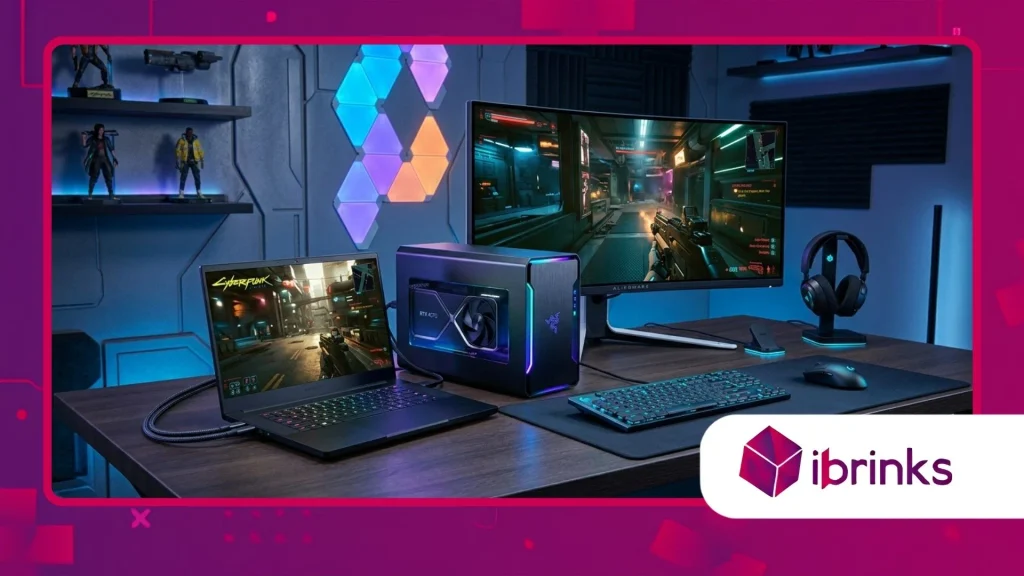
How Does PCIe Tunneling Enable Desktop-Class Performance?
Modern computing relies on complex data transmission protocols, and USB4 eGPU docks utilize advanced PCIe tunneling to route high-bandwidth graphics instructions directly from your laptop to an external desktop card.
This protocol dynamically allocates bidirectional bandwidth up to 40Gbps, ensuring that graphical assets transfer between the processor and the external GPU with minimal latency.
Consequently, thin laptops suddenly acquire the raw rasterization power of high-end desktop silicon without internal space constraints.
This technical leap eliminates historical bottlenecks that previously plagued older proprietary connection standards.
Internal laptop cooling systems are completely isolated from the heavy thermal loads generated by discrete desktop graphics cards housed inside the external aluminum enclosure.
Therefore, your portable computer runs significantly cooler during intense gaming sessions in hotel rooms or airport lounges.
The external enclosure handles its own active cooling via large fans and dedicated heatsinks, preserving the longevity of your primary mobile workstation.
Ultimately, this architectural separation redefines the boundaries of thermal management for portable gaming setups.
++ L'ascesa delle basi di ricarica da tavolo per periferiche da gioco
Why Is Thunderbolt Compatibility Crucial for Cross-Platform Travelers?
Compatibility remains a paramount concern for frequent travelers who connect their setups to various monitors, hotel displays, and peripheral hubs across different international destinations.
USB4 eGPU docks offer native backward compatibility with Thunderbolt 3 and Thunderbolt 4 standards, ensuring seamless plug-and-play functionality across diverse Windows laptops and compatible macOS systems.
This universal standard prevents hardware obsolescence and guarantees that your investment functions smoothly regardless of hardware upgrades.
Travelers gain extraordinary flexibility when transitioning between different computing environments worldwide.
Furthermore, these versatile enclosures frequently double as comprehensive docking stations equipped with multiple USB Type-A ports, DisplayPort outputs, Ethernet jacks, and Power Delivery charging capabilities.
Instead of carrying multiple power bricks and video adapters, users plug a single cable into their laptop to charge the battery while simultaneously driving external high-refresh-rate monitors.
This streamlined cable management drastically simplifies packing routines for professionals constantly moving between remote offices and conferences.
Efficiency and convenience merge seamlessly through unified interface standards.
How Do These Docks Transform Travel and Mobile Gaming?
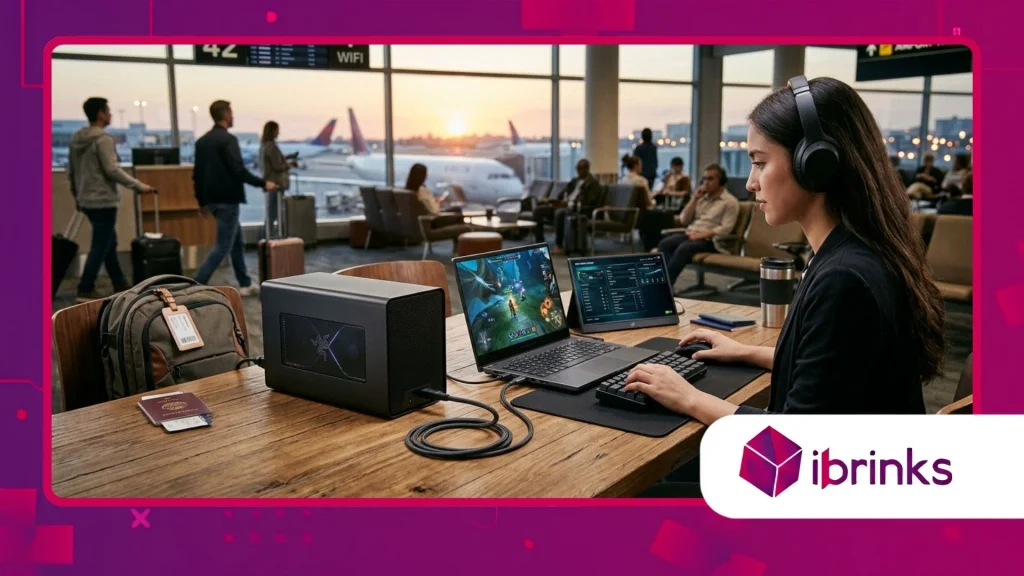
What Are the Real-World Advantages for Digital Nomads and Gamers?
Carrying a bulky fifteen-inch gaming laptop packed with high-wattage power supplies quickly becomes an ergonomic nightmare during international flights and frequent transit connections.
USB4 eGPU docks allow users to travel light with an ultra-slim, silent ultrabook during the day for productivity, and connect to a powerful external graphics enclosure upon arriving at a permanent base.
According to recent industry hardware analyses published by tech hardware research firms, external desktop graphics solutions increase mobile gaming frame rates by over two hundred percent on average.
This staggering performance multiplication turns lightweight travel machines into uncompromising entertainment powerhouses instantly.
Moreover, frequent travelers often encounter restrictive luggage weight limits and cramped working spaces in airplanes or local cafes where heavy hardware proves entirely impractical.
Leaving the heavy desktop card at home or securely packed in specialized luggage while relying on a compact dock destination setup completely optimizes travel logistics.
The modular nature of external enclosures means you can upgrade individual graphics cards over time without purchasing an entirely new laptop system.
Travelers thus secure long-term financial efficiency alongside elite portable performance.
Leggi anche: Perché i tappetini per mouse di alta qualità sono diventati strumenti performanti per gli eSport
How Do Travelers Manage Power Delivery and Thermal Efficiency on the Road?
International travel introduces complex electrical challenges, ranging from incompatible wall socket voltages to unreliable power grids in remote boutique hotels or conference centers.
USB4 eGPU docks incorporate robust internal power supply units that not only feed the demanding desktop graphics card but also deliver up to one hundred watts of clean Power Delivery via USB-C to the host laptop.
This integrated power management protects sensitive mobile components from voltage spikes and erratic electrical currents frequently encountered abroad.
Travelers enjoy uninterrupted workflow stability and reliable battery replenishment without hauling redundant power adapters.
Thermal efficiency represents another critical victory for mobile gamers pushing modern hardware to its absolute limits in warm climates or confined spaces.
Because the high-performance GPU resides outside the thin laptop chassis, internal processor fans no longer scream at maximum RPMs just to keep the keyboard deck touchable.
This thermal isolation drastically reduces fan noise, creating a quiet operating environment suitable for quiet hotel rooms or shared public workspaces.
Hardware reliability improves dramatically when thermal stress is successfully offloaded to an external desktop enclosure.
What Should You Consider Before Buying an External Enclosure?
Which Hardware Specifications Matter Most for Mobile Users?
Selecting the right external graphics enclosure requires careful evaluation of physical dimensions, power supply wattage ratings, and available desk space inside temporary accommodations.
USB4 eGPU docks vary significantly in physical footprint, with some models designed for ultra-portability while others prioritize massive internal clearance for triple-slot desktop graphics cards.
Buyers must meticulously measure their luggage capacity and verify that the internal power supply comfortably handles the peak electrical draw of their chosen graphics card.
Ignoring these physical specifications can result in frustrating hardware incompatibilities while traveling abroad.
Additionally, travelers must examine port variety and peripheral connectivity options integrated directly into the enclosure chassis to ensure seamless multi-monitor support.
A robust selection of video outputs, high-speed USB ports, and reliable wired networking connectors ensures that hotel Wi-Fi bottlenecks never ruin competitive multiplayer gaming matches.
Investing in a future-proof enclosure equipped with the latest controller chipsets guarantees optimal data transfer speeds and rock-solid connection stability.
Thorough pre-purchase research guarantees complete satisfaction on every journey.
Per saperne di più: I migliori case per PC per flusso d'aria ed estetica
How Does Bandwidth Allocation Impact High-Resolution Gaming Performance?
Understanding data bandwidth limitations is essential for maximizing visual fidelity and maintaining fluid frame rates on high-resolution external displays while traveling.
While the 40Gbps ceiling of modern connection protocols is remarkably fast, it inherently introduces a minor performance overhead compared to direct motherboard PCIe slot installations.
Industry benchmarks indicate a modest five to fifteen percent performance loss depending on the specific game engine and resolution settings utilized.
However, this minor trade-off remains entirely negligible when weighed against the monumental convenience of mobile travel flexibility.
Gamers should optimize their graphical settings by focusing on GPU-bound visual effects like ray tracing and texture resolution rather than CPU-heavy physics calculations.
Modern graphics drivers continuously improve data compression algorithms and memory management routines to mitigate bandwidth constraints over external interface cables.
Consequently, players enjoy breathtaking visual fidelity on 1440p and 4K external monitors without experiencing stuttering or input lag during critical gaming moments.
Intelligent hardware configuration unlocks the full potential of portable gaming setups.
| Hardware Solution | Punteggio di portabilità | Average Frame Rate Boost | Power Delivery (PD) | Thermal Impact on Laptop |
| Thin Ultrabook Alone | 10 / 10 | Baseline (Integrated Graphics) | 65W – 100W | Da moderato ad alto |
| Laptop da gioco tradizionale | 4 / 10 | High (Internal Discrete GPU) | 230W – 330W | Extreme (Loud Fans) |
| USB4 eGPU Dock Setup | 8 / 10 | Maximum (Desktop GPU Power) | Up to 100W | Minimal (Isolated Exterior) |
Performance Optimization and Traveler Insights
Why Is Proper Cable Management Essential for Mobile Setups?
Maintaining an organized mobile workstation inside temporary lodgings requires disciplined cable management and high-quality certified connection cables that resist physical wear.
USB4 eGPU docks rely on extremely precise data signaling frequencies, meaning substandard or excessively long cables can cause signal degradation and random disconnects.
Travelers should always pack certified short-length Thunderbolt or USB4 cables rated for full 40Gbps data speeds and maximum power delivery.
This small precaution prevents frustrating troubleshooting sessions when preparing for an important gaming session or professional presentation.
Furthermore, securing the physical connection port on both the laptop and the enclosure prevents accidental tugs from damaging expensive internal motherboard headers during transit setup.
Utilizing protective sleeves or hard-shell transit cases for the external enclosure shields sensitive internal components from shock and vibration during turbulent flights or train rides.
Professional digital nomads know that hardware protection directly correlates with uninterrupted productivity and entertainment on the road.
Attention to physical detail separates amateur travelers from seasoned mobile veterans.
How Can Users Troubleshoot Common Connection and Driver Conflicts?
Switching between integrated graphics and external desktop hardware occasionally triggers minor driver recognition quirks or display output misalignments on Windows operating systems.
Keeping your operating system, motherboard firmware, and GPU drivers updated to the absolute latest stable versions prevents ninety percent of common handshake failures.
When a connection fails to initialize properly upon plugging in the cable, a simple system reboot while maintaining the dock connection usually resolves the registry conflict.
Patience and systematic troubleshooting ensure a frictionless user experience across diverse travel destinations.
Maintaining dedicated driver profiles for mobile travel versus stationary desktop use streamlines performance adjustments when moving between environments.
Advanced users often utilize external software tools to monitor thermal performance, power draw, and PCIe lane allocation in real time to verify optimal operation.
Mastering these minor technical nuances empowers travelers to extract maximum value from their portable high-end gaming investments.
Reliability and performance coexist harmoniously when proper maintenance habits are established early.
Considerazioni finali e coinvolgimento della comunità
The evolution of external desktop graphics technology has successfully dismantled the traditional compromise between extreme portability and uncompromising gaming performance on the road.
By combining ultra-slim travel notebooks with robust desktop-class processing power, modern professionals and passionate gamers enjoy unprecedented freedom across global destinations.
Sharing your personal experiences, travel hardware tips, or setup configurations helps build a more knowledgeable community of mobile enthusiasts worldwide.
Please share your thoughts and experiences in the comments section below to join the discussion.
Domande frequenti
Can Any Thin Laptop Use an External Graphics Enclosure?
Your laptop must feature a fully functional Thunderbolt 3, Thunderbolt 4, or USB4 port that explicitly supports external PCIe tunneling and video output capabilities.
Many modern ultraportables support these protocols, but checking manufacturer technical specifications before purchasing an expensive enclosure is strongly advised.
Do External Graphics Docks Charge the Laptop Battery Simultaneously?
Most modern enclosures feature integrated power supply units capable of delivering between 60W and 100W of Power Delivery directly through the connection cable.
This eliminates the need to plug in a separate laptop power brick while using the docking station at your destination.
Is There a Noticeable Performance Loss Compared to Desktop PCs?
Due to the bandwidth limitations of external connection cables, users typically experience a modest five to fifteen percent performance reduction compared to a direct desktop motherboard installation.
However, this minor overhead is an acceptable trade-off for ultimate mobile gaming versatility.
Can I Upgrade the Graphics Card Inside the Enclosure Later?
External enclosures feature standard PCIe x16 slots, allowing users to swap out desktop graphics cards as hardware technology advances in future generations.
Always verify the physical length, width, and power supply wattage requirements before installing a new graphics card.
Do I Need to Install Special Drivers When Connecting the Dock?
Windows and modern macOS systems automatically detect external graphics enclosures, but installing the official desktop GPU manufacturer drivers is essential for unlocking maximum gaming performance and stability.
