
How to build a silent latency-free audio chain
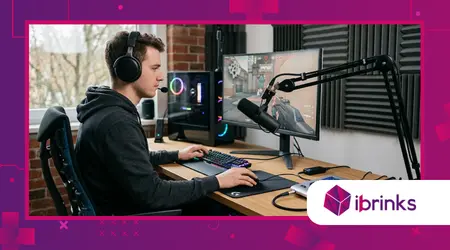
Silent latency-free audio chain is the foundational requirement for every professional gamer and streamer seeking total immersion in 2026.
Annonces
Without precise sonic feedback, your competitive edge vanishes instantly, leaving you behind in fast-paced titles where milliseconds dictate victory.
Achieving this pristine audio environment requires more than just buying expensive headphones; it demands a deep understanding of signal routing, interface architecture, and software optimization. Let us explore the path to sonic perfection.
Navigation rapide
- Hardware Selection Essentials
- Digital Signal Processing Optimization
- Environmental Noise Mitigation
Why does audio latency break competitive gaming?
Latency creates a jarring disconnect between your visual input and auditory feedback. When you fire a weapon or hear footsteps, even a five-millisecond delay can ruin your reaction time.
Digital-to-Analog conversion processes often introduce hidden lags.
Annonces
Professionals minimize this by using dedicated hardware interfaces that bypass standard motherboard sound chips, ensuring the silent latency-free audio chain remains intact.
Gamers often mistake hardware limitations for network lag. True audio precision happens locally, meaning your gear must handle processing without relying on the CPU to mix every single sound effect.
What causes audio signal delays?
Buffer size settings in your audio driver remain the primary culprit for audible delays. A high buffer ensures stability but creates a sluggish experience, while a low buffer taxes the system heavily.
Drivers like ASIO represent the industry standard for reducing these bottlenecks significantly.
By forcing the hardware to talk directly to your software, you eliminate the middleman processing layers.
Think of your audio signal like a high-speed courier service. If the package has to pass through six different bureaucratic departments before delivery, your reaction will always arrive too late to matter.
++ Les meilleures configurations d'équipement de jeu pour le jeu compétitif hybride VR/AR
How do modern interfaces solve this?
Professional-grade audio interfaces utilize zero-latency monitoring circuits to feed the input back to your ears instantly.
This bypasses the computer entirely during the monitoring phase, providing crystal-clear playback.
Many streamers now use dual-PC setups to isolate audio processing. One machine handles the game, while the other manages the streaming feed, maintaining a silent latency-free audio chain effortlessly.
Integrating high-quality preamps prevents the “hiss” common in lower-end gear. This cleanliness allows you to turn the volume up without boosting the noise floor, keeping your audio experience silent.
Lire aussi : Comment optimiser la latence de la manette sur PC
Can software bypass physical limitations?
Advanced VST hosts allow for real-time processing without adding significant latency.
Selecting plugins specifically optimized for low-latency performance is crucial for maintaining your competitive advantage during long gaming sessions.
Testing your loopback is a mandatory step for any serious gamer. By recording a sharp “click” and measuring the distance between the visual spike and the audio, you identify hidden delays.
Did you know that according to a recent study by the Audio Engineering Society, sound processing delays exceeding 10ms are perceptible to elite gamers? Every microsecond you shave off improves your performance.
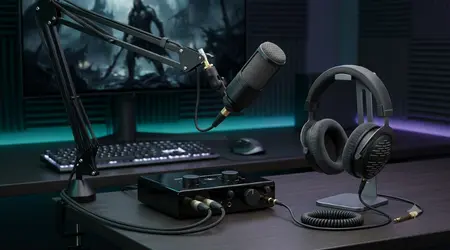
How to build your physical audio chain
Selecting the right components feels daunting, but a systematic approach simplifies the process. Start with an interface that offers discrete hardware monitoring, as this is the heart of your setup.
Balanced cables are non-negotiable in 2026. They reject electromagnetic interference, which is the primary cause of static and unwanted background noise in sensitive microphone and headphone paths.
Construire un silent latency-free audio chain requires attention to grounding as well. Use power conditioners to prevent the buzzing sound often introduced by the dirty electricity in modern home offices.
En savoir plus: Choisir le bon repose-pieds pour un confort de jeu optimal
Which headphones offer the best response?
Open-back headphones provide a wider soundstage, which helps in pinpointing enemy positions accurately.
However, they leak sound, so ensure your microphone features aggressive noise-gate suppression to keep things quiet.
Planar magnetic drivers are becoming the favorite for audiophiles and gamers alike. They move air with incredible precision, ensuring that the sound you hear is exactly what the game engine intended.
Comfort matters during an eight-hour session. If the gear creates physical fatigue, your focus wavers, negating all the technical benefits you gained by optimizing your audio chain for speed.
Why do cables matter for silence?
Shielded XLR cables protect your signal from the radio frequency interference generated by your GPU and monitors. In a dense gaming rig, internal interference acts like a digital parasite.
Avoid running audio cables parallel to high-voltage power lines. This simple layout adjustment often solves mysterious hums that plague many beginners who neglect basic physics in their desk setup.
Keep your cable runs as short as possible to minimize resistance and signal degradation. A shorter path results in a faster, cleaner signal, which is vital for your silent latency-free audio chain.
How to tune the microphone signal?
A noisy microphone ruins the immersion for your teammates and viewers. Use a dedicated hardware expander to drop the noise floor when you aren’t speaking, effectively silencing the room.
Choosing a dynamic microphone over a condenser is often smarter for untreated rooms. Dynamic mics are less sensitive to ambient noise, capturing only your voice with professional-grade isolation.
Placement is just as important as equipment. Get the microphone as close to your mouth as physically possible, allowing you to lower the gain and reduce the background hiss.
| Composant | Role in Chain | Priorité |
| Audio Interface | AD/DA Conversion | Critique |
| Balanced XLR Cables | Signal Integrity | Haut |
| Dynamic Microphone | Noise Rejection | Moyen |
| Buffer-optimized Driver | Latency Control | Critique |
How to optimize your digital environment
Software configuration is the final frontier of audio engineering. Even the best hardware will fail if your Windows or macOS audio settings are bloated with unnecessary effects and enhancements.
Disable all “Audio Enhancements” in your OS sound control panel. These proprietary software filters add processing steps that destroy your silent latency-free audio chain and introduce unpredictable lag.
Keep your sample rates consistent across all applications. If your game runs at 48kHz, ensure your Windows sound settings and interface drivers match that exact same frequency to avoid resampling overhead.
What is the ideal buffer size?
Setting your buffer to 64 or 128 samples is the “sweet spot” for modern systems. Anything higher introduces delay, while lower settings might cause crackling on older, weaker CPUs.
Monitor your CPU usage during high-intensity gameplay moments. If you hear popping, your computer is struggling to keep up with the buffer speed, indicating you need a more powerful processor.
Precision is a habit. Regularly audit your startup programs to ensure no background software is “stealing” processing power or hijacking your audio stream for system sounds or alerts.
Why firmware updates are vital?
Manufacturers release firmware updates to patch synchronization issues between the interface and the OS. Ignoring these updates leaves your gear operating on outdated, inefficient communication protocols.
Join online communities dedicated to your specific audio interface brand. Often, power users discover registry tweaks or hidden driver settings that unlock performance not mentioned in the official manual.
Consider this: your audio chain is only as strong as the weakest driver in the system. Updating your chipset and USB controller drivers is just as important as updating the audio interface.
Is cloud-based audio a risk?
Some modern gaming platforms offload audio processing to the cloud. While this creates “universal” sound, it introduces massive, uncontrollable latency that no hardware can fix locally.
Always prefer local, hardware-based audio processing for competitive games. If the game offers an option to disable high-fidelity cloud audio in favor of local raw streams, take it every time.
How much of your rank are you willing to sacrifice for a slight increase in ambient echo quality? Reliability beats fancy features when you are deep in a ranked match.
Conclusion
Creating a silent latency-free audio chain is an investment in your own potential as a digital athlete.
By prioritizing hardware-based monitoring, clean power, and optimized digital drivers, you strip away the technological barriers between your intent and the game’s execution.
Remember, the gear is only the vehicle; your commitment to tuning the system is the fuel.
Start by auditing your current cable routing and checking your buffer settings tonight. Small, incremental changes in your audio path will yield massive improvements in your gameplay consistency over time.
Do you have a specific bottleneck in your current setup that you are struggling to fix? Share your experience in the comments below, and let’s troubleshoot your path to sonic perfection together.
Questions fréquemment posées
1. Does a USB microphone work for low-latency needs?
USB microphones have built-in converters, but they often lack the sophisticated routing of dedicated interfaces. For true zero-latency, an XLR setup remains the superior choice.
2. Can I use wireless headphones for competitive play?
While 2.4GHz wireless tech has improved significantly, it still introduces minor latency compared to wired connections. For elite performance, a wired connection is always recommended.
3. What is the biggest mistake in building an audio chain?
The most common error is ignoring “gain staging.” If you set your input levels too low, you have to boost them later, which introduces noise, ruining the silence of your setup.
4. Do I need an expensive mixer for a gaming setup?
No, a professional audio interface is usually sufficient. Mixers add unnecessary complexity and potential noise points unless you are managing multiple high-end instrument inputs.
