
Setting up an ergonomic gaming chair for marathon sessions
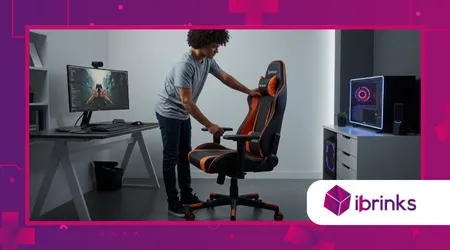
Setting up an ergonomic gaming chair is the cornerstone of a healthy, immersive gaming experience, especially for marathon sessions that stretch hours.
Anúncios
Whether you’re a casual gamer or an esports enthusiast, a well-adjusted chair can transform your gameplay by boosting comfort and preventing strain.
In 2025, gaming chairs have evolved with cutting-edge ergonomic features, designed to support diverse body types and gaming styles.
This guide dives deep into creating the perfect setup, blending practical advice with expert insights to keep you focused and pain-free during epic gaming marathons.
Why does this matter? Prolonged sitting without proper support risks back pain, neck strain, and even long-term health issues.
According to a 2024 study by the Journal of Musculoskeletal Research, 68% of gamers reported discomfort from poor seating posture during extended play.
A thoughtfully configured chair counters these risks, enhancing performance and endurance. Let’s explore how to optimize your setup with precision, ensuring every adjustment aligns with your body and gaming needs.
Understanding Ergonomic Gaming Chairs
Ergonomic gaming chairs are engineered to align with your body’s natural posture, reducing strain on muscles and joints.
Unlike standard chairs, they offer adjustable features like lumbar support, armrests, and recline angles.
These elements adapt to your unique physique, promoting healthy spinal alignment. For marathon sessions, this adaptability is crucial to avoid fatigue and maintain focus.
Imagine your chair as a tailored suit it must fit perfectly to feel right. A one-size-fits-all approach fails here, as gamers vary in height, weight, and sitting habits.
++ Best noise-cancelling headsets for gaming and chat
Brands like Secretlab and Herman Miller now offer chairs in multiple sizes, ensuring a custom fit. For example, the Secretlab Titan Evo 2022 comes in small, regular, and XL variants, accommodating gamers from 4’11” to 6’9”.
Beyond fit, ergonomics prioritize movement. Static sitting, even in a “perfect” posture, strains your body over time.
Modern chairs encourage dynamic sitting, letting you shift positions without losing support. This flexibility keeps circulation flowing and muscles relaxed, vital for those all-night gaming sessions.
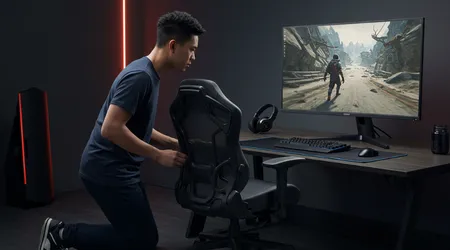
Choosing the Right Chair for Your Needs
Picking the ideal chair starts with assessing your gaming style and body type. Do you lean forward for intense PC gaming or recline with a controller?
PC gamers need chairs with upright support, like the Razer Iskur V2, while console players might prefer reclining models like the Corsair TC500 Luxe.
Consider adjustability over aesthetics. Features like 4D armrests, seat depth sliders, and lumbar support are non-negotiable for marathon comfort.
Also read: Building the ultimate budget gaming PC under $1000
For instance, the Herman Miller Vantum offers PostureFit lumbar support, mimicking high-end office chairs for superior spinal alignment.
Budget options like the Colamy Kirin, priced at $159, still deliver solid ergonomics with seat sliders and adjustable arms.
Your environment matters too. A breathable mesh chair, like the Razer Fujin, suits warmer climates, while plush foam models, such as the Secretlab NanoGen Edition, prioritize cozy comfort.
Test chairs when possible, as comfort is subjective. A chair that feels like a throne to one gamer might feel restrictive to another.
Step-by-Step Guide to Setting Up an Ergonomic Gaming Chair
Proper setup is where comfort meets performance. Follow these steps to tailor your chair for marathon gaming sessions, ensuring every adjustment maximizes support and minimizes strain.
Step 1: Adjust Seat Height
Your seat height should allow your feet to rest flat on the floor, with knees bent at 90 degrees. This position reduces leg strain and promotes circulation.
For example, the Ergohuman chair offers a wide height range to suit gamers of varying statures. Adjust until your hips are level with or slightly above your knees.
Too high, and your feet dangle, stressing your thighs. Too low, and your knees elevate, straining your lower back.
Read more: Top wireless gaming mouse models to buy in 2025
If your desk is too high, consider a footrest to maintain this angle. A quick test: your thighs should feel unpressured, with even weight distribution.
For shorter gamers, like 5’2” streamer Alex, a footrest paired with a lowered Secretlab Titan Evo ensured perfect alignment, boosting her focus during 8-hour streams.
Taller gamers, like 6’5” pro player Marcus, benefit from chairs with extended height ranges, like the Hinomi H1 Pro, avoiding cramped legs.
Step 2: Optimize Lumbar Support
Lumbar support is your spine’s best friend, maintaining its natural curve to prevent slouching.
Adjust the lumbar pillow or built-in support to align with your lower back’s curve, typically at waist level. The Razer Iskur V2’s 6D lumbar system adapts to your posture dynamically.
Incorrect lumbar placement can cause back pain, as it forces unnatural spinal curves. For example, a 2025 PC Gamer review noted that poorly designed lumbar pillows, like those in budget chairs, often flatten, offering minimal support.
Test by sitting upright your lower back should feel gently supported, not pressed.
Gamers with longer torsos might need higher lumbar settings, while those with shorter torsos benefit from lower placements.
Adjust incrementally, checking comfort over a 30-minute session. If your chair lacks adjustable lumbar support, consider an aftermarket pillow for precision.
Step 3: Configure Armrests
Armrests reduce shoulder and wrist strain, especially for mouse-and-keyboard gamers. Set them so your elbows rest at a 90-degree angle, aligned with your desk.
4D armrests, found on chairs like the Fractal Refine, allow height, width, depth, and angle adjustments.
Misaligned armrests force your shoulders to hunch or overextend, risking repetitive strain injuries (RSIs).
For instance, adjustable armrests on the Boulies Elite Series prevented wrist pain for a competitive FPS player during a 10-hour tournament. Ensure armrests don’t push your shoulders forward, maintaining a relaxed posture.
If you alternate between controller and keyboard, adjust armrests to a neutral position that supports both styles.
Regularly check alignment, as armrests can shift during intense gaming. Comfort here translates to better aim and reaction times.
Step 4: Set Recline and Tilt
Reclining allows you to shift between active and passive postures, reducing muscle fatigue.
Start at a 90-100-degree angle for PC gaming, reclining up to 120 degrees for relaxed console play. The Secretlab Titan Evo’s recline range supports this versatility.
Tilt tension should match your weight too loose, and you’ll tip back unexpectedly; too tight, and reclining feels stiff.
For example, a lightweight gamer found the Corsair TC100’s tilt too loose, requiring tightening for stability. Test recline angles during short breaks to find your sweet spot.
Dynamic reclining, like the Ergohuman’s free-float mode, lets the chair move with you, ideal for fidgety gamers.
Alternate between upright and reclined positions every hour to keep muscles fresh and maintain focus during long sessions.
Step 5: Position Headrest or Neck Pillow
A headrest supports your neck during reclined gaming, reducing strain. Adjust it to cradle the base of your skull, not push your head forward. The Secretlab NanoGen’s magnetic neck pillow offers easy height adjustments for a snug fit.
Improper headrest placement can cause neck pain, especially during marathon sessions.
For example, a Twitch streamer reported relief after adjusting her Hinomi H1 Pro’s headrest to align with her cervical spine. If your chair lacks a headrest, a rolled towel can mimic this support temporarily.
Check headrest comfort by reclining for 10 minutes. Your neck should feel relaxed, not strained. For upright gaming, ensure the headrest doesn’t force your head forward, disrupting spinal alignment.
Integrating Your Chair with Your Gaming Setup
Your chair doesn’t exist in isolation its synergy with your desk and peripherals is key. Your desk height should align with your armrests, maintaining that 90-degree elbow angle. Adjustable desks, like the MAGNUS Pro, allow precise customization.
Monitor placement is equally critical. Position your screen at eye level, about an arm’s length away, to reduce neck strain.
A cluttered desk can disrupt posture, so use cable organizers to keep your setup tidy, as recommended by AskErgoWorks. For example, a clean desk helped a content creator maintain focus during 12-hour editing sessions.
Consider your peripherals too. Ergonomic keyboards and mice, like those from Logitech, minimize wrist strain when paired with a properly adjusted chair.
Ensure your setup allows fluid movement between chair adjustments and peripheral use, creating a cohesive, strain-free environment.
Lighting also plays a role. Poor lighting strains your eyes, indirectly affecting posture as you lean forward to see better.
Use soft, ambient lighting to complement your chair’s ergonomic benefits, enhancing focus. A well-lit, organized setup amplifies the chair’s impact, creating a holistic gaming station.
Maintaining Ergonomics During Marathon Sessions
Even the best chair can’t prevent discomfort if you don’t move. Microbreaks every 30-60 minutes standing, stretching, or walking keep your body fresh. ChairsFX suggests 2-minute walks to reduce tension and boost focus.
Incorporate stretches like neck rolls or wrist extensions to relieve muscle tightness. For example, a pro gamer used wrist stretches during breaks to avoid RSIs during a 14-hour tournament.
Apps like RSI Guard can remind you to take breaks, ensuring consistency.
Your chair’s adjustability shines here. Shift between upright and reclined postures to vary muscle use.
A 2025 study by the International Ergonomics Association found that dynamic sitting reduces musculoskeletal strain by 40% during long sessions. Keep tweaking your setup as your body adapts, ensuring long-term comfort.
Hydration and nutrition also matter. Dehydration can cause fatigue, mimicking poor posture’s effects.
Keep water nearby and avoid heavy meals that slump your posture. Small habits, like sipping water during loading screens, maintain energy without disrupting gameplay.
Common Mistakes to Avoid
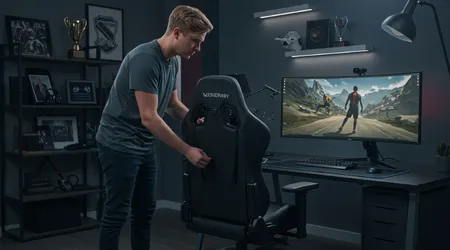
Neglecting adjustments is a rookie error. Many gamers leave chairs at default settings, missing out on ergonomic benefits.
Take time to fine-tune every feature your body will thank you. For instance, a Redditor regretted ignoring their Vantum’s lumbar settings, leading to back pain after a week.
Another pitfall is prioritizing style over function. Bucket-seat designs, like those on budget GT Racing chairs, look cool but often lack flexibility, restricting movement. Focus on adjustability over flashy aesthetics to avoid discomfort.
Ignoring body signals is dangerous. If you feel strain, reassess your setup immediately. A casual gamer ignored wrist pain, only to develop carpal tunnel from misaligned armrests. Regular posture checks, using side-angle photos, can catch issues early.
Lastly, don’t skimp on breaks. Marathon gaming without movement invites stiffness. A streamer learned this the hard way, suffering neck strain after a 10-hour session without breaks. Schedule breaks like in-game checkpoints to stay sharp and healthy.
Table: Key Ergonomic Adjustments for Gaming Chairs
| Adjustment | Purpose | Ideal Setting |
|---|---|---|
| Seat Height | Aligns feet and knees for circulation | Feet flat, knees at 90 degrees |
| Lumbar Support | Maintains spinal curve, prevents slouching | Aligned with lower back’s natural curve |
| Armrests | Reduces shoulder/wrist strain | Elbows at 90 degrees, aligned with desk |
| Recline Angle | Shifts between active/passive postures | 90-100° for PC, up to 120° for console |
| Headrest | Supports neck during reclined gaming | Cradles base of skull, no forward push |
Why Ergonomics Is Your Competitive Edge
Ever wonder why pro gamers seem tireless in tournaments? Ergonomics is their secret weapon. A well-adjusted chair sharpens focus, reduces fatigue, and boosts reaction times.
The Herman Miller x Logitech G Embody, for instance, was designed with input from esports pros to enhance performance.
Think of your chair as a co-op partner in your gaming journey. It supports you through every clutch moment, ensuring you stay sharp when the stakes are high.
Neglecting ergonomics is like playing with a laggy controller you’re handicapping yourself. Invest time in setting up an ergonomic gaming chair, and you’ll outlast and outplay the competition.
Beyond performance, ergonomics safeguards your health. Chronic pain from poor posture can sideline your gaming passion.
A friend, an avid MMO player, avoided setting up an ergonomic gaming chair properly and faced months of physical therapy for back issues. Don’t let that be you prioritize your setup now.
In conclusion, setting up an ergonomic gaming chair is more than a luxury it’s a game-changer for marathon sessions.
By tailoring your chair to your body, integrating it with your setup, and adopting healthy habits, you’ll elevate both comfort and performance.
Embrace these adjustments, and your chair becomes an ally, supporting every victory and keeping you in the game longer.
Take control of your setup today, and level up your gaming experience with ergonomics that work as hard as you do.
Frequently Asked Questions
Q: How often should I adjust my gaming chair during a session?
A: Tweak settings every 1-2 hours to adapt to posture shifts, ensuring comfort and support.
Q: Can a gaming chair replace an office chair for work and play?
A: Yes, chairs like the Secretlab Titan Evo support both, with versatile adjustments for gaming and work tasks.
Q: Are expensive gaming chairs worth it?
A: High-end chairs offer superior adjustability and durability, but budget options like the Colamy Kirin can suffice with proper setup.
Q: How do I know if my chair fits my body type?
A: Test seat height, lumbar alignment, and armrest comfort; your body should feel supported without strain after 30 minutes.
Q: What’s the best way to maintain posture during long sessions?
A: Combine setting up an ergonomic gaming chair with microbreaks, stretches, and dynamic posture shifts to stay fresh.
