
Next-level RGB: How Gaming Equipment lighting reacts to in-game events
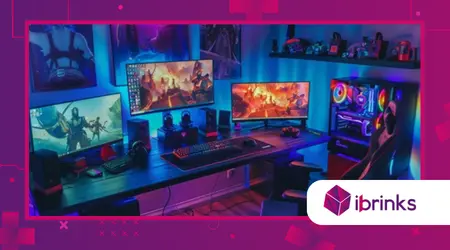
Next-level RGB has evolved far beyond the static rainbow waves of the past, transforming the modern gaming desk into a living, breathing extension of the virtual world.
Anúncios
I recently observed a competitive match where a player’s entire room flashed a violent crimson the exact millisecond their in-game character took damage, providing a visceral warning that no on-screen UI could match.
This shift toward reactive environmental storytelling represents a major milestone in how we interact with our hardware, moving from pure aesthetics to functional, low-latency feedback systems.
By synchronizing your peripherals with real-time software triggers, you are essentially expanding the game’s sensory footprint directly into your physical space.
Tactical Lighting: The 2026 Core Features
- Dynamic Health Alerts: Real-time color shifts that reflect your character’s vitality or mana levels.
- Cooldown Visualization: Per-key lighting that pulses or changes hue as abilities become ready for use.
- Environmental Sync: Room-wide lighting that mimics the time of day or weather conditions in-game.
- Stealth Cues: Subtle dimming of lights when your character enters shadows or specialized stealth modes.
How does reactive lighting enhance competitive gameplay?
The implementation of Next-level RGB provides a measurable cognitive advantage by offloading critical information from the screen to your peripheral vision.
In high-stakes shooters, your brain can process a sudden peripheral flash of gold signaling a successful killstreak faster than it can read a small text notification in the corner of a busy HUD.
Modern mechanical keyboards now utilize Hall-effect magnetic switches that communicate directly with lighting engines to provide instant haptic and visual confirmation of a keypress.
This “visual actuation” ensures that you are never left guessing if a complex combo was registered during the chaotic heat of a professional esports match.
According to research from the 2026 ROG Lab initiative, nearly 69% of gamers feel more focused and “equipped to win” when their environment is physically synced to their gameplay.
This psychological anchoring helps maintain a “flow state,” where the boundary between the player’s intent and the character’s action becomes almost entirely seamless.
Furthermore, integrating your lighting with ammo counts or utility charges allows for a cleaner on-screen interface, as you can rely on your desk’s glow for status updates.
This reduction in “UI clutter” lets you keep your eyes locked on the center of the screen, where the most important combat maneuvers are actually taking place.
++Bio-sensor headsets: measuring stress and focus as part of next-gen
Why are per-key LEDs essential for RPGs?
In complex role-playing games, Next-level RGB allows you to map specific color codes to various spell schools or inventory categories, making navigation intuitive even in the dark.
For example, your “Healing” keys might glow a steady green, while “Ultimate” abilities pulse with a threatening violet when they are fully charged and ready.
This system turns your keyboard into a functional map of your character’s power, reducing the mental tax of remembering complex hotkey layouts during intense boss encounters.
It is the difference between searching for a button and simply reacting to a color cue that your subconscious already knows.
Also read: How haptic feedback suits are redefining immersion for competitive gamers
How do ambient adaptive technologies reduce eye strain?
New developments like G-SYNC Ambient Adaptive technology now auto-adjust the brightness and color temperature of your entire setup based on the lighting in your actual room.
This prevents the “harsh contrast” effect of a bright monitor in a dark room, which is a leading cause of digital eye fatigue.
By creating a soft “bias light” behind the monitor that matches the on-screen action, the transition for your pupils becomes much smoother.
This ensures that you can engage in those marathon eight-hour sessions without the “burning” sensation or headaches that traditionally plague dedicated long-form gamers.
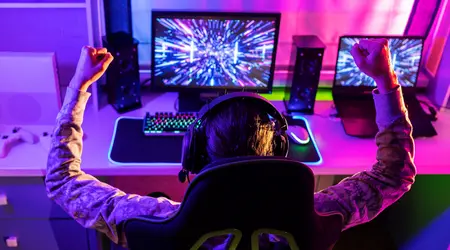
What are the most popular software ecosystems in 2026?
The market for Next-level RGB is currently dominated by unified platforms like Razer Chroma and Corsair iCUE, which have expanded to include third-party smart home integration.
You can now sync your keyboard with your Nanoleaf wall panels and even your Philips Hue ceiling bulbs to create a 360-degree immersion zone.
These ecosystems utilize open SDKs, allowing indie and AAA developers alike to program specific lighting profiles that activate automatically when the game is launched.
This “zero-effort” integration means your hardware knows exactly how to behave whether you are exploring a sunny field or a terrifying, abandoned space station.
Imagine playing a survival horror game where your desk lamp begins to flicker and dim as your flashlight battery dies in the game could you handle that level of intensity?
This type of sensory storytelling is what separates a standard gaming setup from a premium, 2026-era “battlestation” that truly lives in the moment.
Technicians have also introduced “AI-driven Murals” that scan your screen in real-time to project the dominant colors onto the wall behind your desk.
This effectively extends the boundaries of your 27-inch monitor to fill your entire field of vision, making every explosion or sunset feel exponentially larger.
Read more: Gaming Equipment in 2026: The Rise of Modular Upgradable Consoles
How does audio-reactive lighting support immersion?
Modern Next-level RGB systems can now be set to “Spectrograph Mode,” where individual LED zones react to different frequencies of the game’s soundtrack.
Deep bass notes from an explosion might trigger a ground-level red pulse, while high-pitched alerts cause the top row of your keyboard to shimmer.
This creates a multi-sensory experience where you aren’t just hearing the game, but “seeing” the sound waves ripple across your equipment.
For streamers, this adds a professional flair to their broadcasts, as the audience can see the literal energy of the game reflected in the room’s atmosphere.
Can lighting indicate PC hardware health in real-time?
Many enthusiasts now use their internal case lighting as a functional dashboard for system temperatures and load percentages.
If your GPU starts to overheat during a 4K ray-tracing session, your internal strips will shift from a cool blue to an urgent, strobing orange.
Next-level RGB thus acts as a silent alarm system, giving you a heads-up to adjust your fan curves or take a break before any thermal throttling occurs.
It’s a perfect marriage of high-end aesthetics and practical maintenance that keeps your expensive hardware running at peak efficiency for years.
Why is cross-brand synchronization becoming the new standard?
For years, the biggest frustration for gamers was the “walled garden” of RGB software, where a Corsair mouse couldn’t talk to a Razer keyboard.
In 2026, the industry has finally embraced universal standards like Windows Dynamic Lighting, which allows different brands to play nice under a single control panel.
This interoperability means you are no longer forced to buy every peripheral from a single manufacturer just to have a cohesive look.
You can mix and match the best-performing equipment across the market while still maintaining a perfectly synced, Next-level RGB environment that reacts as one.
Reactive RGB Profiles by Game Genre
| Genre | Key Lighting Trigger | Ambient Lighting Effect | Strategic Value |
| FPS / Shooters | Red pulse on damage taken | Flash white on “Flashbang” | Faster recovery and threat awareness |
| MOBAs / Strategy | Gold shimmer on kill/assist | Cool blue during “Shop” phase | Reinforces success and focus cues |
| Horror / Stealth | Dim/Flicker on low battery | Deep purple/Shadow mimicry | Enhances tension and immersion |
| Racing Sims | Shift light (RPM) indicator | Side-glow matches speed | Precise gear changes without HUD |
| RPGs / MMOs | Mana/Energy color mapping | Weather-based hue shifts | Improved ability management |
The evolution of Next-level RGB has officially turned the “pretty lights” of the 2010s into a vital component of the modern competitive toolkit.
We have moved past the era of distracting, gaudy rainbows and into a sophisticated world of high-speed data visualization.
By using your peripherals as a secondary display for health, cooldowns, and environmental cues, you reduce the time it takes for your brain to react to critical game states.
This technology bridges the gap between the physical and digital, making the experience of gaming more haptic and immersive than ever before.
Whether you are a professional looking for every possible edge or a casual player seeking deep atmospheric immersion, the way your equipment lights up is no longer a luxury it’s an essential part of the story.
Do you prefer a minimal, static setup, or do you want your whole room to explode with color every time you land a critical hit? Share your experience in the comments!
Frequently Asked Questions
Does having too much RGB lighting decrease my PC’s performance?
In 2026, most RGB controllers have dedicated processors, meaning they take up virtually zero CPU overhead. Your frame rates will remain stable regardless of the lighting complexity.
Can I sync my gaming lights with my smart home bulbs?
Yes, platforms like Razer Synapse and Corsair iCUE now support Matter and Thread protocols, allowing them to control Philips Hue, Nanoleaf, and Govee bulbs natively.
Is it possible to turn off reactive lighting for certain games?
Absolutely. You can create specific profiles that activate per-game, allowing you to have full immersion for an RPG but a clean, static look for your office work.
Does reactive lighting help with accessibility?
Definitely. For players with hearing impairments, visual cues like flashing lights for “footsteps” or “alerts” can provide critical information that would otherwise be missed.
What is “bias lighting” and why should I use it?
Bias lighting is a strip placed behind your monitor to light the wall. it reduces eye strain by decreasing the harsh contrast between your screen and the dark room.
