
Choosing the right UPS for power backup
Annúncios
Yang betul UPS for power backup is the ultimate line of defense for modern gaming rigs, protecting high-end graphics cards, solid-state drives, and expensive power supplies from unexpected grid drops or micro-brownouts.
Modern gaming equipment consumes massive peak wattage during high-load rendering sessions, meaning an unexpected electrical cut does not just turn off your display; it risks corrupting unsaved save states, damaging delicate flash memory cells, and ruining valuable ranked competitive matches instantly.
Investing in electrical protection ensures your hardware receives clean, regulated voltage regardless of ambient grid fluctuations or sudden weather disruptions occurring outside your home setup.
Beyond pure hardware preservation, an uninterruptible power supply acts as an essential buffer that buys you crucial minutes to gracefully save progress, exit online multiplayer lobbies, and perform proper system shutdowns without stressing sensitive silicon components.
What to Expect in This Guide
- Why Clean Power Backup Matters for Modern Rigs Discover how pure sine wave architecture shields high-efficiency PSUs during voltage sags.
- How to Calculate Your Ideal VA and Wattage Learn the exact mathematical formula needed to match your system load to battery capacity.
- Which Topological UPS Design Suits Your Setup Compare Standby, Line-Interactive, and Double-Conversion topologies for real-time performance.
- Critical Protection Metrics Compared Review a side-by-side technical specification matrix before making your hardware investment.
- Soalan Lazim Answers to essential maintenance, battery lifespan, and hardware compatibility queries.
What Makes an Uninterruptible Power Supply Essential for Gaming Rigs?
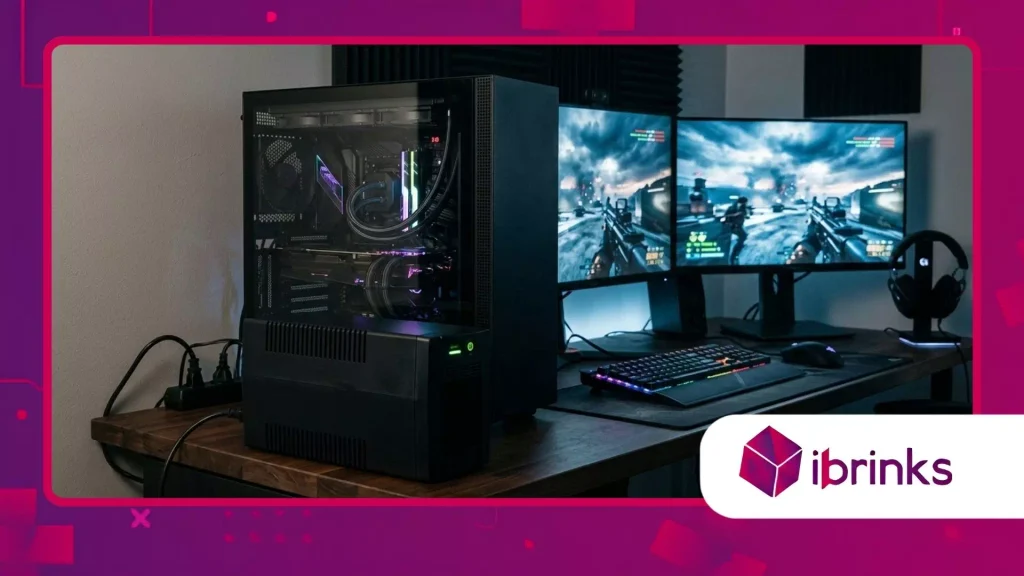
Why Do High-End Power Supplies Require Pure Sine Wave Protection?
Modern PC power supplies equipped with Active Power Factor Correction (Active PFC) demand clean alternating current to maintain high efficiency and stable operational parameters under load.
Annúncios
When an offline or simulated sine wave unit switches to battery power during a brownout, the resulting stepped square wave can trigger immediate protection shutoffs or severe electrical humming in premium power supply units.
Utilizing a high-quality UPS for power backup featuring pure sine wave output ensures that your computer receives smooth, continuous energy identical to utility power, eliminating stress on delicate internal capacitors.
Menurut kajian daripada Electric Power Research Institute (EPRI), over 80% of power quality disturbances last less than a single second, yet these sub-second voltage sags are sufficient to cause unexpected system reboots in high-performance computing hardware.
Protect your rig against these invisible micro-sags by choosing an online or line-interactive battery backup engineered specifically for sensitive electronics.
This proactive investment prevents silent data corruption and prolongs the operational longevity of your motherboard and storage devices.
++ Pegangan pengawal yang mesti ada untuk Xbox/PlayStation
How Do Sudden Power Outages Cause Irreparable Hardware and Data Loss?
When power instantly cuts off while an NVMe SSD is actively executing write operations, data packets currently held in volatile DRAM cache layers are abruptly destroyed before reaching non-volatile NAND flash memory cells.
This sudden loss of power frequently leads to corrupted filesystem metadata, broken game installations, and in severe cases, permanently bricked storage drives that require complete reformatting.
Have you ever lost dozens of hours of game progress in a split second simply because a summer thunderstorm passed over your local electrical grid?
Beyond software corruption, electrical spikes that accompany instant power restoration can send high-voltage transients racing through standard surge strips directly into sensitive GPU core chips.
An active power protection system absorbs these destructive energy surges through internal metal oxide varistors while seamlessly transitioning your rig onto localized battery reserves.
This immediate isolation preserves both your digital game data and your expensive physical components from high-voltage degradation.
How Do You Calculate the Exact Power Requirements for Your Gaming Setup?
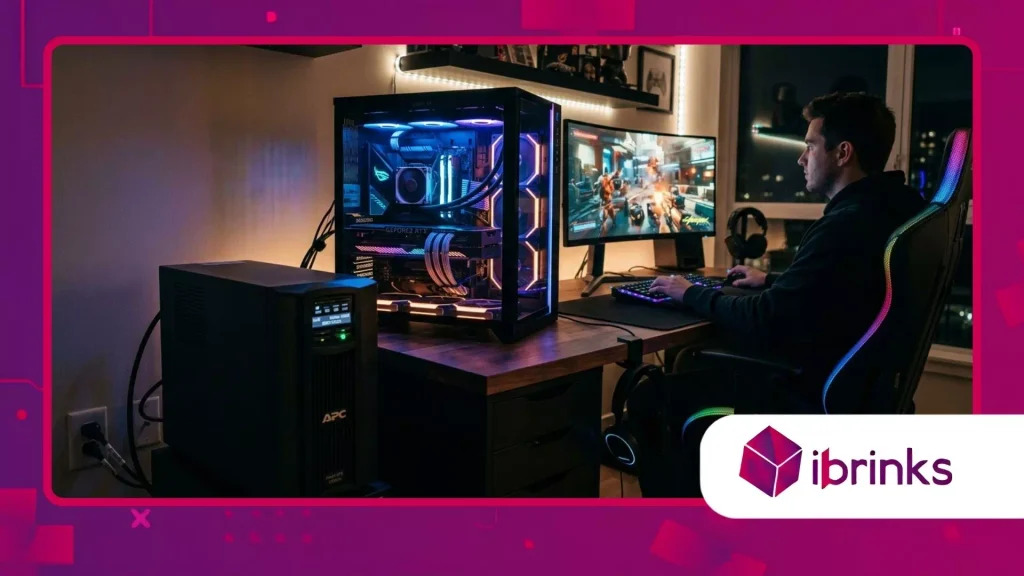
How Can You Determine Your Total System Wattage and VA Rating?
Calculating your system’s total power consumption requires adding together the maximum wattage draw of your central processor, dedicated graphics card, monitors, networking gear, and connected external peripherals.
A high-performance gaming PC equipped with an NVIDIA GeForce RTX 4090 and an Intel Core i9 processor can easily pull up to 750 watts under full synthetic gaming load, requiring a power unit rated for at least 1500 VA / 900 Watts to handle current headroom comfortably.
Choosing a UPS for power backup with a minimum of 20% to 30% power headroom prevents unexpected overload alarms when your GPU spikes during intense graphical scenes.
To calculate the required Volt-Amperes (VA), divide your total estimated wattage by the power factor of the battery unit, which typically ranges between 0.6 and 0.9 depending on component quality.
For example, a 600-watt total system load divided by a 0.6 power factor indicates you need a unit rated for at least 1000 VA to support short-term operation.
Ensuring adequate headroom guarantees that transient power spikes from high-end components will not trip internal overload protections mid-game.
Baca juga: Panduan untuk perisian & penyesuaian papan kekunci RGB
What Is the Difference Between Wattage and Volt-Amperes in Battery Capacity?
Wattage measures the actual real electrical power consumed by your computer components, whereas Volt-Amperes represent the apparent power resulting from multiplying RMS voltage by RMS current delivered to the circuit.
Many generic battery backups display large VA numbers on their packaging while offering surprisingly limited real wattage capacities, potentially misleading buyers into under-powering their setups.
Understanding this critical technical distinction ensures you do not inadvertently connect a 800W gaming PC to a unit capable of outputting only 450W of continuous active power.
When matching battery specifications to high-performance gaming hardware, always prioritize the true continuous wattage rating over the advertised VA figure.
A miscalculated purchase will result in immediate shutdown the instant your graphics card reaches peak power limits during demanding gameplay scenarios.
Checking both values ensures stable operation during critical moments when utility power fails completely.
Which UPS Topology Delivers the Best Performance for PC Gaming?
How Do Standby, Line-Interactive, and Online Topologies Differ in Response Time?
Standby units remain idle during normal operation, switching to battery power within 6 to 10 milliseconds only after detecting an absolute utility failure or extreme voltage drop.
Line-interactive models utilize an automatic voltage regulator (AVR) to correct minor brownouts and overvoltages continuously without depleting the battery, offering transfer times between 2 and 4 milliseconds.
Double-conversion online units continuously convert incoming AC power to DC and back to pristine AC, resulting in a zero-millisecond transfer time that offers total isolation from external grid anomalies.
For competitive gamers and enthusiasts running Active PFC power supplies, line-interactive and online topologies represent the gold standard for reliable operational stability under variable grid conditions.
Selecting an advanced UPS for power backup with automatic voltage regulation guarantees that minor grid dips will not cause your system to reboot mid-match or interrupt critical background operations.
Think of line-interactive technology as an automatic transmission for your electricity, adjusting voltage levels smoothly without disturbing engine performance.
Baca lebih lanjut: Sarung PC terbaik untuk aliran udara dan estetika
Why Is Automatic Voltage Regulation (AVR) Essential for Home Electrical Grids?
Automatic Voltage Regulation actively stabilizes incoming utility power by boosting low voltages during sags and stepping down high voltages during spikes without engaging the internal battery.
This continuous regulation keeps your PC operating within safe voltage thresholds without triggering unnecessary battery discharge cycles that degrade total cell capacity over time.
In suburban areas or older apartment buildings with unstable electrical wiring, AVR prevents frequent system instability caused by everyday appliance usage nearby.
By eliminating frequent micro-switches to battery power, AVR extends the operational lifespan of internal lead-acid or lithium-ion battery blocks by several years.
Gamers living in regions prone to frequent summer heatwave brownouts rely heavily on AVR technology to maintain uninterrupted gaming sessions while neighboring appliances strain the regional power grid.
Investing in AVR technology protects your equipment investment while providing quiet, unobtrusive voltage stabilization.
Key Hardware Backup Specifications Compared
The following comparison matrix outlines technical specifications across popular battery backup tiers designed for gaming hardware protection:
| UPS Topology Tier | Typical VA / Wattage Range | Waveform Output Type | Average Transfer Time | Ideal Hardware Use Case |
| Basic Standby | 450 VA – 750 VA (260W – 420W) | Simulated / Stepped Sine Wave | 6 – 10 ms | Entry-level PCs, Wi-Fi Routers, Monitors |
| Line-Interactive (Standard) | 850 VA – 1200 VA (510W – 720W) | Simulated / Approximated Wave | 4 – 8 ms | Mid-range Gaming PCs, Consoles, NAS Drives |
| Line-Interactive (Pure Sine) | 1300 VA – 1500 VA (810W – 1000W) | True Pure Sine Wave | 2 – 4 ms | High-End PCs with Active PFC Power Supplies |
| Online Double-Conversion | 1500 VA – 3000 VA (1350W – 2700W) | Pure Sine Wave (Zero Noise) | 0 ms (Continuous) | Workstations, Server Rigs, Streaming Rigs |
Future-Proofing Electrical Stability for Next-Gen Gaming Setups
Selecting a robust UPS for power backup transforms your gaming station from a vulnerable system into a resilient, enterprise-grade battle station capable of surviving unpredictable electrical environments.
As next-generation GPUs and CPUs continue to push peak power draw higher, maintaining active voltage regulation and pure sine wave delivery becomes an essential pillar of responsible hardware ownership.
Prioritize true wattage ratings, proper battery topology, and adequate power headroom to safeguard your expensive graphics hardware and irreplaceable digital data for years to come.
Take a proactive moment today to evaluate your current setup’s total watt load, test your local wall outlets, and audit your surge protection infrastructure.
Upgrading to a dedicated power backup solution ensures that when the lights suddenly go out, your games keep running long enough for you to secure victory and log off safely.
Have you experienced hardware damage or lost game progress due to an unexpected blackout in your area? Share your experiences and setup solutions in the comments below!
Soalan Lazim
How long will a 1500VA UPS power a high-end gaming PC during a blackout?
A 1500VA / 900W unit typically provides 3 to 7 minutes of runtime for a high-end gaming PC pulling 500 to 700 watts under full GPU load during a power outage.
If power fails while browsing or idling at 150 watts, the same unit can maintain system power for 20 to 30 minutes.
This runtime is intentionally designed to allow users to save active game states and perform a safe operating system shutdown rather than enabling extended gaming sessions off grid power.
Can connecting a gaming PC to a simulated sine wave UPS cause damage?
Yes, connecting a PC with a modern Active Power Factor Correction (Active PFC) power supply to a simulated sine wave unit can cause operational issues or hardware stress.
During battery transfer, simulated sine waves produce harsh voltage steps that can trigger the PSU’s safety shutoff mechanisms, causing the computer to reboot instantly despite battery presence.
Over extended periods, these stepped waveforms generate excess heat and electrical stress within power supply capacitors.
How often do internal power backup batteries need to be replaced?
Standard Sealed Lead-Acid (SLA) batteries inside backup units typically last between 3 to 5 years under normal ambient operating conditions and regular room temperatures.
Lithium-ion (LiFePO4) models feature significantly longer operational lifespans, frequently lasting 8 to 10 years before requiring cell replacement.
Regular self-tests via management software help monitor internal battery health, alerting users when battery holding capacity drops below safe operational thresholds.
Should I plug my gaming monitor and Wi-Fi router into the battery outlets?
Yes, connecting your primary gaming monitor and network router to battery-backed outlets ensures you retain visual output and active internet connectivity during sudden power drops.
Most backup units feature dual outlet banks: one set providing both surge protection and battery runtime, and another providing surge protection only.
Plugging your router into the battery side allows online multiplayer matches to remain connected long enough for you to gracefully disconnect without penalty.
Why is my power backup unit making a continuous beeping sound during operation?
A continuous or rhythmic beeping sound indicates that the unit has actively transferred to battery power due to a utility outage, brownout, or severe line voltage fluctuation.
If the beeping occurs while grid power is normal, it typically signals an internal overload condition where connected hardware exceeds the unit’s wattage capacity, or indicates a failing battery that can no longer hold charge.
You can mute audible alarms using the unit’s front display panel or companion software.
