
Cosa cercare in un'attrezzatura da gaming se si trasmette in streaming in 4K a 240Hz
Annunci
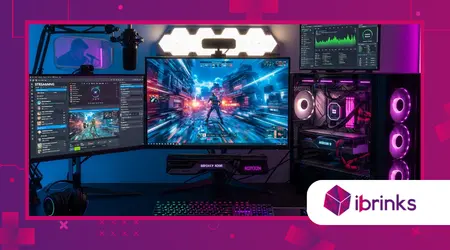
Attrezzatura da gaming se trasmetti in streaming in 4K a 240Hz deve soddisfare standard di velocità di trasmissione dati estremamente elevati per gestire l'enorme volume di pixel e fotogrammi prodotti oggi.
La scelta del componente sbagliato in questa catena di fascia alta può causare rallentamenti, ritardi o persino guasti hardware a causa dell'enorme carico termico.
Lo streaming con queste specifiche richiede una sinfonia di hardware perfettamente sincronizzato.
Si tratta di una frontiera tecnologica in cui ogni cavo e ogni codificatore diventano un potenziale collo di bottiglia per la qualità professionale della tua trasmissione.
Breve panoramica tecnica
- Monitorare gli standard: Identificazione dei requisiti di DisplayPort 2.1 e HDMI 2.1a per l'uscita video 4K non elaborata a 240Hz.
- Potenza di elaborazione: La necessità di configurazioni dedicate con doppio PC o di encoder hardware AV1 di nuova generazione.
- Soluzioni di acquisizione: Perché le schede di acquisizione esterne stanno finalmente raggiungendo i livelli necessari per il passthrough di frequenze di aggiornamento ultra elevate.
- Connettività: Il ruolo dei cavi HDMI in fibra ottica nel mantenimento dell'integrità del segnale su distanze maggiori.
Quali sono i requisiti essenziali per un monitor 4K a 240Hz?
Per trovare l'hardware giusto, è fondamentale scegliere un pannello che supporti Display Stream Compression (DSC) 1.2a o superiore.
Annunci
Senza questa tecnologia, la larghezza di banda richiesta supera i limiti fisici dei cavi di rete attualmente in uso. Ciò di solito si traduce in artefatti grafici o nelle temute schermate nere.
È fondamentale dare priorità alla tecnologia OLED o Mini-LED. Questi pannelli offrono tempi di risposta in millisecondi, necessari per percepire concretamente il vantaggio dei 240Hz, mantenendo al contempo la nitidezza 4K che il pubblico si aspetta.
Perché DisplayPort 2.1 è fondamentale?
DisplayPort 2.1 offre la larghezza di banda necessaria per gestire risoluzioni 4K ad alte frequenze di aggiornamento senza perdita di profondità di colore.
Sebbene lo standard HDMI 2.1 sia diffuso, molti streamer professionisti preferiscono la stabilità delle ultime versioni di DisplayPort per le configurazioni multi-monitor.
Affidarsi a standard obsoleti quando si lavora con un numero così elevato di pixel può risultare inquietante. Assicurati che sia la tua GPU che il monitor siano compatibili con lo standard UHBR20.
Questo specifico scambio di informazioni hardware è alla base di un'esperienza visiva stabile che rimane costante anche durante intense sessioni di gioco.
In che modo il tipo di pannello influisce sulla trasmissione in streaming?
I pannelli OLED offrono transizioni di pixel pressoché istantanee. Questo elimina l'effetto ghosting che può rovinare l'aspetto di una trasmissione ad alta frequenza di aggiornamento.
Se la visuale locale è sfocata, la tua trasmissione in streaming farà fatica a catturare il movimento nitido che caratterizza il gioco competitivo a 240 Hz.
Scegliere un monitor con un'elevata luminosità di picco garantisce che i contenuti HDR appaiano vividi anche quando vengono ridimensionati per gli spettatori.
Uno schermo luminoso e reattivo ti permette di dare il massimo. Offre un'esperienza visiva straordinaria alla tua community.
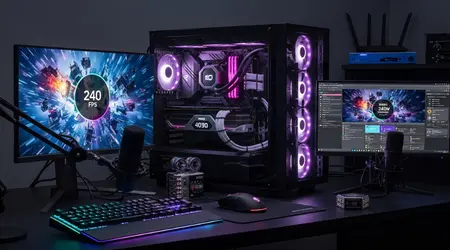
Perché la codifica AV1 è obbligatoria per lo streaming ad alta larghezza di banda?
Attrezzatura da gaming se trasmetti in streaming in 4K a 240Hz è praticamente inutile senza una scheda grafica che supporti la codifica hardware AV1 nativa.
Questo codec offre un'efficienza superiore a H.264 (30%). Consente di trasmettere video in qualità 4K senza saturare l'intera larghezza di banda di upload della rete domestica.
Le moderne architetture NVIDIA Blackwell o AMD RDNA 4 sono progettate specificamente per gestire questi carichi di lavoro.
Riescono a farlo senza influire sul frame rate locale. Questa separazione dei compiti garantisce che il gioco rimanga fluido a 240 Hz mentre lo streaming rimane nitido.
Leggi anche: Attrezzature da gioco nel 2026: l'ascesa delle console modulari aggiornabili
Che ruolo avrà la CPU nel 2026?
Anche con la codifica GPU, una CPU con un elevato numero di core rimane fondamentale per gestire le attività in background e le transizioni di scena in OBS Studio.
È necessario un processore in grado di gestire un flusso di dati enorme senza generare micro-interruzioni. Nel 2026, i processori con unità NPU integrate diventeranno sempre più diffusi.
Si occupano della cancellazione del rumore basata sull'intelligenza artificiale e della rimozione dello sfondo. Questo permette ai core principali di concentrarsi interamente sul mantenimento dell'ambita stabilità a 240Hz mentre interagisci con la chat in tempo reale.
Per saperne di più: I migliori kit di illuminazione per flussi video per immagini di qualità
Hai bisogno di una configurazione a due PC?
Una configurazione a doppio PC è come una fabbrica specializzata. Una macchina produce il prodotto e l'altra lo spedisce in tutto il mondo.
Per il 4K a 240Hz, questa configurazione rimane il punto di riferimento. Previene qualsiasi variazione del "tempo di rendering dei fotogrammi" sul tuo PC da gioco principale.
Utilizzando un PC dedicato allo streaming, è possibile sfruttare al massimo le impostazioni di bitrate. Non dovrete preoccuparvi che un crash del gioco interferisca con la vostra trasmissione.
Questa ridondanza è il segno distintivo degli streamer professionisti. Non possono permettersi alcun problema tecnico durante la copertura dei tornei più importanti.
Come si sceglie la scheda di acquisizione giusta?
Selezione Attrezzatura da gaming se trasmetti in streaming in 4K a 240Hz richiede una scheda di acquisizione con passthrough a larghezza di banda ultraelevata.
È necessario un hardware che consenta di riprodurre a 240 Hz e di acquisire a una frequenza gestibile di 60 Hz o 120 Hz per la piattaforma.
Le schede di acquisizione PCIe interne sono generalmente superiori per questo scopo. Offrono una latenza inferiore e velocità di trasferimento dati più elevate.
Assicurati che sulla scheda sia specificamente indicata la dicitura "4K240 Passthrough". Questo garantisce che il monitor non venga limitato a una frequenza di aggiornamento inferiore dal dispositivo di acquisizione.
Perché la gestione termica è importante?
Le schede di acquisizione e le GPU che elaborano video 4K ad alta velocità generano una notevole quantità di calore. Ciò comporta il throttling termico e la perdita di fotogrammi nello streaming.
Le apparecchiature di fascia alta spesso sono dotate di raffreddamento attivo o di grandi dissipatori di calore per mantenere le prestazioni.
Una scarsa circolazione d'aria all'interno del case agisce come una coperta termica, soffocando lentamente i componenti più costosi nel tempo. Investi in ventole ad alta pressione statica.
Garantiscono che l'aria fredda raggiunga l'hardware di codifica. Questo mantiene stabile lo streaming in 4K e fluido il flusso a 240Hz.
Di quali cavi ci si può fidare?
I cavi HDMI standard spesso non riescono a fornire i 48 Gbps necessari per questo livello di prestazioni. Ciò causa sfarfallio o perdita di segnale.
Per lunghezze superiori a tre metri sono necessari cavi certificati "Ultra High Speed" o varianti in fibra ottica attiva.
Immaginate il vostro cavo come un'autostrada. Se la strada è troppo stretta, il traffico di pixel rallenterà inevitabilmente.
I cavi in fibra ottica garantiscono che il segnale elettrico viaggi alla velocità della luce, preservando l'integrità di ogni singolo fotogramma.
Standard hardware per lo streaming 2026
| Componente | Requisito standard | Modello/Specifiche consigliate | Flusso di dati |
| Monitor | DisplayPort 2.1 | TV OLED da 32 pollici 4K 240Hz | 80 Gbps |
| Scheda grafica | AV1 Dual-Encoder | RTX 5090 / RX 8900 | 24 GB di VRAM |
| Scheda di acquisizione | PCIe Gen 4 | Scheda passthrough 4K240 | 40 Gbps |
| Cavo | Fibra HDMI 2.1a | 48 Gbps certificato | 48 Gbps |
| Magazzinaggio | NVMe di quinta generazione | 12.000 MB/s | 10 GB/s |
| Rete | Ethernet 2.5G | Caricamento su fibra ottica | 1 Gbps+ |
| Memoria RAM | DDR5-8000 | 64 GB a bassa latenza | 60 GB/s |
Dati di mercato recenti provenienti da Rapporto globale sugli streamer del 2025 I risultati mostrano che 151.000 creatori di contenuti di alto livello sono già migrati verso gli ecosistemi 4K.
Assemblare questo sistema è come mettere a punto una vettura di Formula 1. Ogni componente deve essere progettato per resistere a velocità e precisione estreme.
Se un anello della catena è debole, l'intera esperienza ad alta fedeltà crolla. La tua attrezzatura è il veicolo attraverso il quale il tuo talento raggiunge il mondo.
Investire oggi nella tecnologia giusta garantisce che i tuoi contenuti rimangano rilevanti, in un contesto in cui le aspettative degli spettatori continuano a crescere.
Gli spettatori moderni sono diventati intenditori di qualità visiva. Offrire un'esperienza 4K a 240Hz vi distingue dalla massa.
È una dichiarazione di professionalità audace. Dimostra che dai valore all'esperienza visiva del tuo pubblico tanto quanto alla tua.
Siete pronti a gestire gli enormi requisiti di archiviazione necessari per registrare filmati in 4K a 240Hz? Condividete la vostra esperienza nei commenti!
Controllo dell'attrezzatura professionale
La ricerca di Attrezzatura da gaming se trasmetti in streaming in 4K a 240Hz È un percorso verso la perfezione tecnica. Richiede pazienza e un budget considerevole.
Concentrandosi su larghezza di banda, efficienza di codifica e stabilità termica, è possibile realizzare una configurazione in grado di dominare le classifiche per anni.
Domande frequenti
Posso trasmettere in streaming 4K a 240Hz su un singolo PC?
Sì, ma hai bisogno di una GPU di fascia alta con encoder AV1 dedicati. Questo garantisce che il frame rate del gioco non subisca cali durante le scene d'azione più intense.
Twitch supporta lo streaming in 4K a 240Hz?
Sebbene sia possibile acquisire a 240 Hz, la maggior parte delle piattaforme attualmente limita la trasmissione a 60 Hz o 120 Hz. Tuttavia, consentono bitrate di risoluzione 4K.
Perché il mio monitor 4K sfarfalla a 240Hz?
Questo problema è solitamente causato da un cavo di qualità inferiore che non è in grado di gestire la larghezza di banda di 48 Gbps. Il passaggio a un cavo in fibra ottica certificato spesso risolve il problema.
Sono necessari 64 GB di RAM per questa configurazione?
Sì. Lo streaming ad alta risoluzione e il gaming simultaneo consumano enormi quantità di memoria. Questo è particolarmente vero quando si eseguono più schede del browser e risorse OBS nel 2026.
Pensare al futuro: ricorda che l'attrezzatura di alta gamma non si riduce solo ai numeri. Si tratta di offrire una finestra cristallina sul tuo mondo.
