
هل تستحق قاعدة الألعاب المزودة بمنفذ Thunderbolt 5 التكلفة الإضافية؟
إعلانات
Thunderbolt 5 gaming dock devices have entered the high-end hardware market as a revolutionary solution for enthusiasts seeking desktop-grade performance ””from portable gaming laptops.
Modern gaming setups demand unprecedented data transfer speeds, multi-monitor support at high refresh rates, and ultra-fast power delivery to keep demanding graphics cards and internal components operating at peak efficiency.
Understanding whether these premium accessories justify their steep financial investment requires a careful examination of hardware capabilities, real-world bandwidth allocations, and the specific technological bottlenecks that affect competitive players today.
Industry analysts note that external GPU enclosures and high-speed peripheral routing have advanced dramatically with the introduction of Intel’s latest interface standard, promising up to 120 Gbps of bidirectional bandwidth through Bandwidth Boost technology.
Navigating these technical specifications helps gamers determine if upgrading their peripheral ecosystem translates into tangible frame rate improvements or reduced input latency during intense gaming sessions.
إعلانات
التنقل السريع
- What Is a Thunderbolt 5 Gaming Dock
- Why Bandwidth Matters for Modern Gaming
- How These Hubs Affect Peripheral Latency
What Is a Thunderbolt 5 Gaming Dock
What Are the Core Specifications of This Technology?
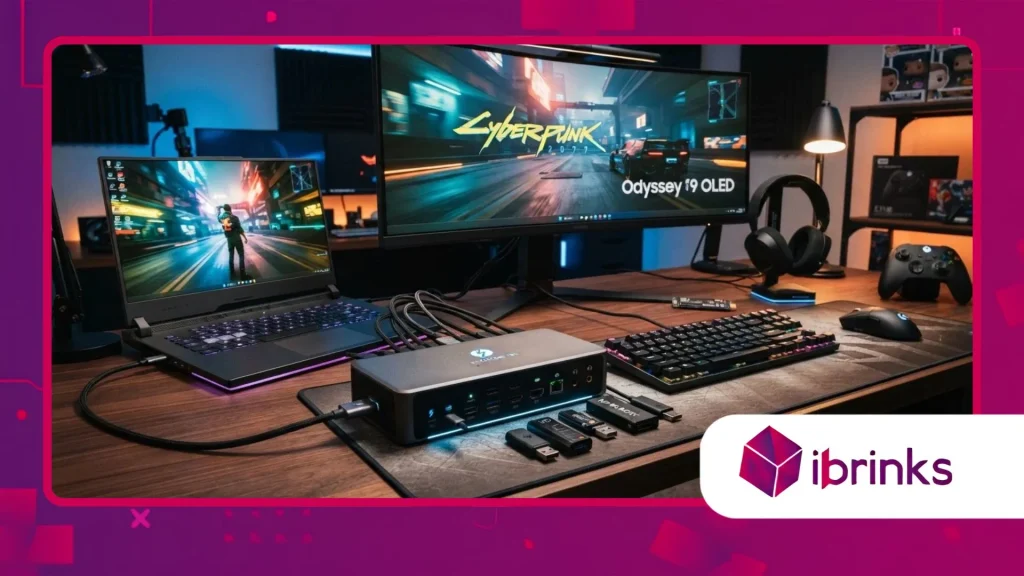
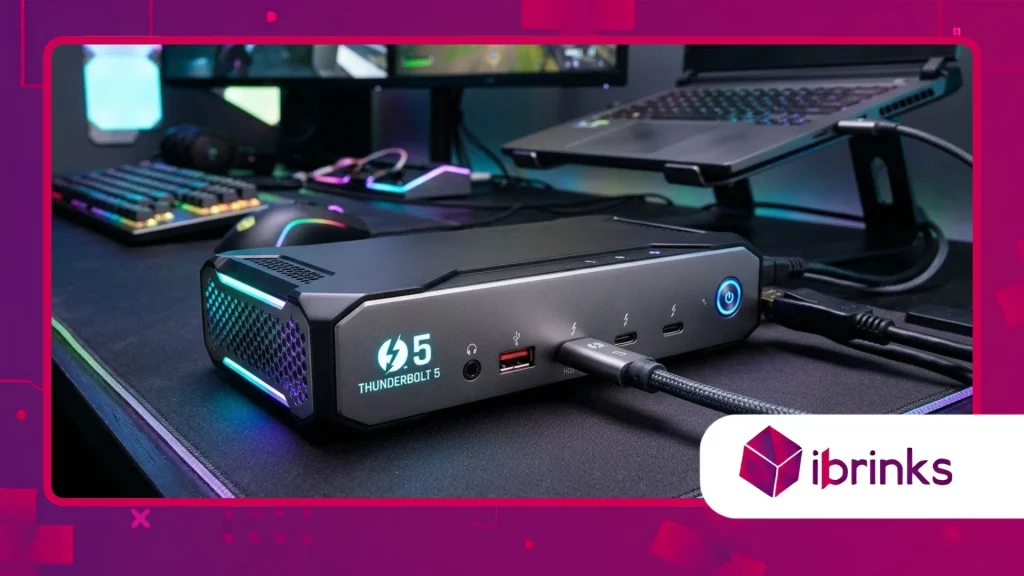
أ Thunderbolt 5 gaming dock represents the absolute pinnacle of external connectivity, utilizing advanced PAM3 signaling to achieve unprecedented data throughput across certified cables.
These sophisticated hubs double the standard bidirectional bandwidth of previous generations, offering a massive 80 Gbps baseline that can dynamically scale up to 120 Gbps for high-refresh-rate display streams.
Modern gaming laptops benefit immensely from this architectural leap, allowing users to connect multiple 4K or 8K monitors without experiencing visual compression or frame stutter.
Furthermore, integrated DisplayPort 2.1 support ensures that future-proof visual standards are fully met, accommodating ultra-wide screens and esports-grade refresh rates effortlessly.
How Does It Handle Power Delivery and Charging?
Advanced power delivery protocols allow a Thunderbolt 5 gaming dock to supply up to 140 watts of continuous charging power to connected host laptops through USB-Power Delivery 3.1 specifications.
This high wattage eliminates the need to carry bulky power bricks while traveling, keeping high-performance gaming notebooks fully energized even under maximum thermal load.
Internal thermal management systems, including active cooling fans and copper heat sinks, prevent overheating during prolonged marathon gaming sessions.
Consequently, hardware stability remains consistent, protecting expensive internal components from voltage fluctuations and thermal throttling during intensive gameplay.
++ انتشار قواعد الشحن المكتبية لأجهزة الألعاب الطرفية
What Makes It Superior to Older USB Standards?
Older connection standards often suffer from severe bandwidth bottlenecks when routing high-speed NVMe data transfers alongside uncompressed multi-monitor video feeds and peripheral inputs.
أ Thunderbolt 5 gaming dock intelligently allocates available lanes to prioritize time-sensitive gaming packets, virtually eliminating input lag and audio crackle during competitive matches.
Independent hardware reviews confirm that external storage drives connected through these hubs achieve read and write speeds nearly identical to internal PCIe Gen 4 SSDs.
Therefore, competitive players experience lightning-fast asset loading times and seamless multitasking capabilities without sacrificing overall system responsiveness.
Why Bandwidth Matters for Modern Gaming
Why Do High-End Monitors Require Extra Speed?
Competitive gaming relies heavily on ultra-high refresh rates and crisp resolutions, which demand massive amounts of uncompressed video data passing through a single cable.
When gamers connect multiple peripheral devices, external capture cards, and high-resolution displays simultaneously, traditional connection protocols quickly saturate their available data lanes.
This congestion results in dropped frames, visual tearing, and noticeable input delays that can negatively impact competitive performance in fast-paced shooter games.
By utilizing advanced signaling techniques, high-speed connection hubs ensure that video streams and peripheral data travel concurrently without interfering with each other.
اقرأ أيضاً: لماذا أصبحت وسادات الماوس المميزة من معدات الأداء في الرياضات الإلكترونية
How Do External Storage Speeds Impact Performance?
Modern open-world games feature massive texture assets and complex geometry files that require blazing-fast storage solutions to load seamlessly during gameplay.
Connecting external NVMe enclosures to a high-speed peripheral hub allows gamers to expand their game libraries infinitely without enduring stuttering or texture pop-in issues.
Industry benchmarks demonstrate that sustained data transfer speeds exceeding 6,000 megabytes per second completely transform the external gaming experience.
Consequently, players enjoy fluid virtual worlds and rapid level transitions that rival traditional internal desktop configurations.
اقرأ المزيد: أفضل صناديق الكمبيوتر من حيث تدفق الهواء والمظهر الجمالي
What Role Does Daisy-Chaining Play in Setup?
Daisy-chaining multiple monitors and professional audio interfaces through a single host cable drastically reduces cable clutter on competitive gaming desks.
Traditional docking stations often force users to compromise on display resolution or USB port speeds when connecting more than one external monitor.
Advanced connectivity hubs utilize flexible bandwidth allocation to support dual 540Hz displays or triple 4K monitors simultaneously with zero perceptible latency.
This level of versatility allows enthusiasts to build immersive, multi-screen command centers tailored for both streaming and high-level competitive gaming.
How These Hubs Affect Peripheral Latency
Why Does Input Lag Matter in Esports?
Milliseconds dictate victory or defeat in modern esports tournaments, making every hardware link in the signal chain critically important for competitive players.
Traditional USB hubs often introduce micro-stutters and input polling delays when burdened with heavy audio and video traffic.
A dedicated connectivity hub maintains pristine signal integrity, ensuring that mouse clicks and keyboard commands register instantly on screen.
Professional reviewers emphasize that hardware-level priority scheduling keeps peripheral latency under one millisecond consistently.
How Do Audio Interfaces Benefit From High Speed?
High-fidelity gaming audio and professional streaming setups require uncompressed multi-channel audio transmission to maintain crisp vocal clarity and spatial awareness.
Connecting external XLR audio interfaces and studio-grade microphones through advanced data hubs prevents digital clipping and audio synchronization drift.
Gamers communicating with teammates during high-stakes matches benefit from crystal-clear voice transmission free of background interference or packet loss.
Furthermore, dedicated audio routing lanes ensure that game sound effects and voice chat remain perfectly balanced.
What Are the Real-World Cost Considerations?
Investing in cutting-edge hardware always commands a substantial financial premium, and these next-generation connectivity hubs are no exception to the rule.
While casual players might find standard USB-C hubs sufficient for everyday tasks, hardcore enthusiasts benefit from the absolute elimination of performance bottlenecks.
Industry experts suggest evaluating personal hardware ecosystems before purchasing, ensuring that connected laptops and monitors fully support the interface specifications.
Ultimately, the decision hinges on whether the elimination of cable clutter and speed limitations justifies the significant upfront expenditure.
| Dock Feature | Previous Generation (Thunderbolt 4) | Next Generation (Thunderbolt 5) | تأثير الأداء |
| Max Bidirectional Bandwidth | 40 جيجابت في الثانية | 80 Gbps (up to 120 Gbps boost) | Triples video and data capacity for complex setups. |
| توصيل الطاقة (PD) | تصل إلى 100 واط | Up to 140W (USB-PD 3.1) | Powers heavy-duty gaming laptops without power drain. |
| Display Support | Dual 4K at 60Hz | Triple 4K at 144Hz or Dual 8K | Enables ultra-smooth, high-refresh gaming visuals. |
| Storage Transfer Speeds | ~3,000 MB/s | ~6,000+ MB/s | Cuts game loading times and asset streaming delays. |
Final Hardware Evaluation
Navigating the complex landscape of high-performance gaming accessories requires balancing raw technical specifications against individual usage habits and budgetary constraints.
While the financial investment is undeniably steep, the technological leap in bandwidth, power delivery, and display versatility is transformative for mobile gaming enthusiasts.
Modern hardware ecosystems thrive on efficiency, and eliminating connection bottlenecks ensures that expensive laptops perform at their absolute highest potential during critical gaming moments.
Have you ever experienced performance throttling caused by inferior connection hubs during a crucial gaming session?
الأسئلة الشائعة
What makes this connectivity standard different from standard USB ports?
This advanced interface utilizes proprietary protocol tunneling to combine PCIe, DisplayPort, and power delivery into a single high-speed connection channel.
This architecture delivers exponentially higher bandwidth and superior peripheral priority scheduling compared to legacy USB connections.
Can I use older cables with these next-generation hubs?
While backward compatibility is fully supported for older devices, achieving maximum data transfer speeds and bandwidth boost features requires certified cables designed specifically for the latest interface specifications.
Do these accessories cause significant heat generation during use?
High data throughput and powerful power delivery systems generate thermal energy, which is why premium models incorporate active cooling fans and aluminum heatsinks to maintain stable operating temperatures during extended use.
Will purchasing this accessory improve my in-game frame rates?
Direct frame rate improvements depend primarily on your laptop’s internal GPU and CPU capabilities, though external GPU enclosures connected through these hubs can dramatically enhance graphical processing power.
Is it necessary to update laptop drivers before installation?
Ensuring that your host computer’s operating system, BIOS, and Thunderbolt control software are updated to the latest versions guarantees seamless plug-and-play compatibility and optimal power regulation.
