
Evolution of Gaming Keyboards
Anúncios
Gaming keyboards have come a long way from simple computer input devices to sophisticated gaming peripherals. These essential tools have shaped how we interact with our favorite games. The journey of keyboard technology in gaming is a fascinating tale of innovation and progress.
From the early days of basic membrane keyboards to today’s advanced mechanical switches, gaming hardware has undergone a remarkable transformation. Each step in this evolution has brought new features and improved performance, enhancing the gaming experience for players worldwide.
As we explore the history of gaming keyboards, we’ll see how they’ve become more than just typing tools. They’re now integral parts of gaming setups, offering customization, precision, and style that was once unimaginable in computer input devices.
Key Takeaways
- Gaming keyboards evolved from basic input devices to specialized gaming peripherals
- Advancements in keyboard technology have significantly improved gaming performance
- Mechanical switches revolutionized the feel and responsiveness of gaming keyboards
- Customization features have become a standard in modern gaming hardware
- The evolution of gaming keyboards reflects the growing demands of the gaming community
The Birth of Mechanical Keyboards and Their Gaming Legacy
The history of gaming keyboards traces back to the early days of mechanical switches. These switches revolutionized typing and gaming experiences, paving the way for modern gaming peripherals.
Early Mechanical Switch Development
Mechanical switches emerged as a game-changer in keyboard history. The iconic Cherry MX switches, introduced in the 1980s, set the standard for responsive and durable keys. These switches offered tactile feedback and precise actuation, qualities that gamers quickly embraced.
Anúncios
Transition from Typewriters to Computer Keyboards
As typewriters gave way to computers, keyboard technology evolved. The shift brought mechanical switches to the forefront, offering improved typing speed and accuracy. This transition marked a significant milestone in keyboard history, influencing the development of gaming-specific keyboards.
First Gaming-Specific Features
The rise of competitive gaming in the 1990s sparked demand for specialized keyboards. Manufacturers introduced features tailored for gamers, such as programmable keys and anti-ghosting technology. These innovations laid the foundation for modern gaming keyboards, enhancing player performance and customization options.
| Era | Key Development | Impact on Gaming |
|---|---|---|
| 1980s | Introduction of Cherry MX switches | Improved tactile feedback and durability |
| 1990s | Transition to computer keyboards | Enhanced typing speed and accuracy |
| Late 1990s | First gaming-specific features | Programmable keys and anti-ghosting technology |
The evolution of mechanical switches and gaming-specific keyboards has significantly impacted the gaming industry. From improved response times to customizable features, these advancements continue to shape the competitive gaming landscape.
Understanding Gaming Equipment: Keyboard Technologies and Innovations
Gaming keyboards have revolutionized the way we play. These tech marvels pack features that give players an edge in the digital arena. Let’s dive into the world of keyboard switches, rollover capabilities, and response times that shape gaming performance.
Switch Types and Their Impact on Gaming
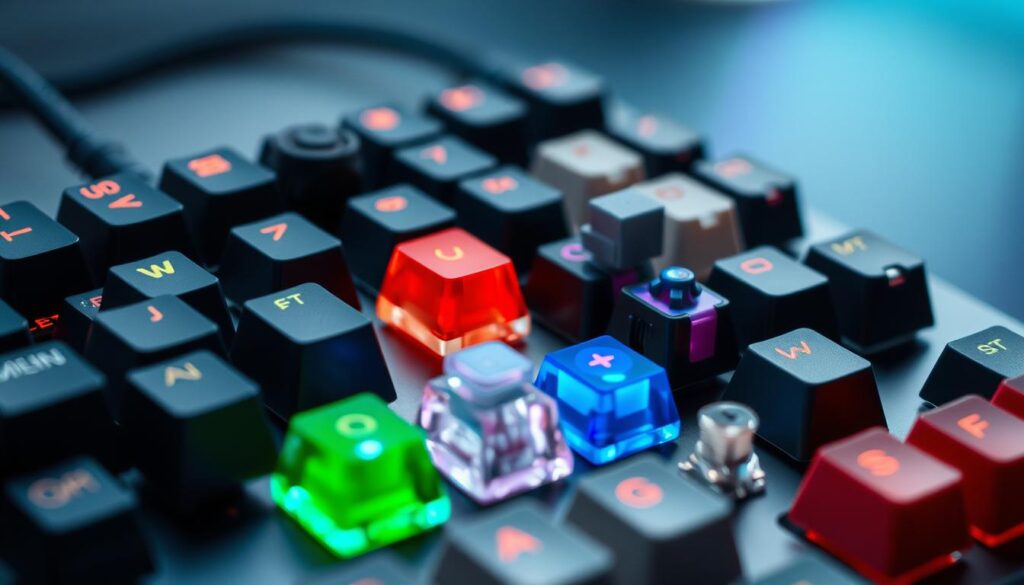
Keyboard switches are the heart of any gaming keyboard. Different types offer unique feels and functions. Linear switches provide smooth keystrokes, while tactile switches give feedback. Clicky switches add sound for those who love audible confirmation. Each type affects gaming performance differently, influencing speed and accuracy.
Key Rollover and Anti-Ghosting Features
N-key rollover and anti-ghosting are crucial for gamers. These features ensure every keystroke registers, even when multiple keys are pressed simultaneously. This is vital in fast-paced games where split-second decisions matter. High-quality gaming keyboards offer full N-key rollover, allowing for complex key combinations without missing a beat.
Response Time and Actuation Points
Actuation force and response time are key factors in gaming performance. Lower actuation force means keys respond to lighter touches, potentially increasing speed. Some keyboards allow customization of actuation points, letting gamers fine-tune their setup. Faster response times can give players a competitive advantage, especially in twitch-based games where every millisecond counts.
| Feature | Impact on Gaming |
|---|---|
| Keyboard Switches | Affects keystroke feel and speed |
| N-Key Rollover | Ensures all keypresses register |
| Anti-Ghosting | Prevents unwanted inputs |
| Actuation Force | Determines key sensitivity |
| Response Time | Reduces input lag |
RGB Revolution in Gaming Keyboards
Gaming keyboards took a colorful leap with the introduction of RGB lighting. This tech upgrade transformed plain peripherals into vibrant, customizable keyboards that enhance gaming aesthetics. RGB lighting lets gamers personalize their setups, creating immersive atmospheres that match their style or game theme.
Programmable Lighting Features
RGB keyboards offer a spectrum of lighting options. Users can program individual key colors, create dynamic light patterns, or sync lights with in-game actions. This level of customization adds a new dimension to gaming, making the keyboard an integral part of the visual experience.
Customization and Software Integration
Keyboard software has evolved to support extensive RGB customization. These programs allow users to:
- Design custom lighting profiles
- Sync lights with other RGB devices
- Create reactive lighting effects
- Save and share lighting configurations
Advanced keyboard software integrates with games, adjusting lighting based on in-game events or player health, further immersing gamers in their virtual worlds.
Impact on Gaming Experience
RGB lighting goes beyond mere aesthetics. It can enhance gameplay by highlighting important keys, indicating cooldowns, or signaling in-game notifications. This functional use of RGB technology can give gamers a competitive edge, making it a valuable feature for serious players.
“RGB keyboards have transformed gaming setups from functional spaces to personalized battlestations, reflecting each player’s unique style and preferences.”
The RGB revolution has redefined gaming aesthetics, turning keyboards into customizable works of art that enhance both form and function in the gaming world.
Ergonomics and Design Evolution
Gaming keyboards have come a long way in terms of keyboard ergonomics. Players now enjoy designs that prioritize comfort during long gaming sessions. The evolution of gaming keyboards has brought significant improvements in wrist support and overall user experience.
Split keyboards have gained popularity among gamers seeking improved hand positioning. These innovative designs separate the keyboard into two halves, allowing users to adjust the angle and distance between each side. This customization reduces strain on the wrists and shoulders during extended play.
Tenkeyless designs have also emerged as a popular choice for gamers. By removing the number pad, these compact keyboards provide more desk space for mouse movement. This design allows for a more natural arm position, reducing shoulder strain and improving overall comfort.
| Keyboard Type | Ergonomic Features | Benefits for Gamers |
|---|---|---|
| Split Keyboards | Adjustable halves | Reduced wrist and shoulder strain |
| Tenkeyless Designs | Compact layout | Improved mouse space and arm positioning |
| Wrist Rest Keyboards | Integrated wrist support | Enhanced comfort during long gaming sessions |
Wrist support has become a key feature in modern gaming keyboards. Many models now include built-in or detachable wrist rests, providing crucial support for the hands and wrists. This addition helps maintain proper hand positioning, reducing the risk of repetitive strain injuries common among frequent gamers.
Wireless Gaming Keyboards: Breaking the Cord
The world of gaming has seen a shift towards cord-free setups. Wireless gaming keyboards are now a reality, offering freedom and flexibility without compromising performance.
Latency Improvements Over Time
Early wireless keyboards faced latency issues, but technology has advanced. Low-latency keyboards now offer response times comparable to wired models. Some even boast sub-1ms latency, making them ideal for fast-paced gaming.
Battery Life Innovations
Battery technology has seen significant improvements. Modern wireless gaming keyboards can last weeks or even months on a single charge. Some feature quick-charging capabilities, ensuring minimal downtime during intense gaming sessions.
| Battery Type | Average Lifespan | Charging Time |
|---|---|---|
| Lithium-ion | 2-3 weeks | 2-3 hours |
| Rechargeable AA | 1-2 months | 4-6 hours |
| Solar-powered | Indefinite | Continuous (with light) |
Wireless Technologies and Gaming Performance
Bluetooth gaming has improved, but dedicated 2.4GHz connections still lead in performance. Some keyboards offer both, allowing users to switch between devices seamlessly. The future of wireless gaming looks bright, with new technologies promising even better performance and reliability.
“Wireless keyboards have come a long way. They’re no longer just for casual use – they’re ready for competitive gaming.”
Custom Keycaps and Personalization Trends
Gaming keyboards have evolved beyond functionality. They’ve become a canvas for personal expression. Custom keycaps lead this trend, allowing gamers to tailor their setups. These unique keys come in various materials, each offering distinct feels and looks.
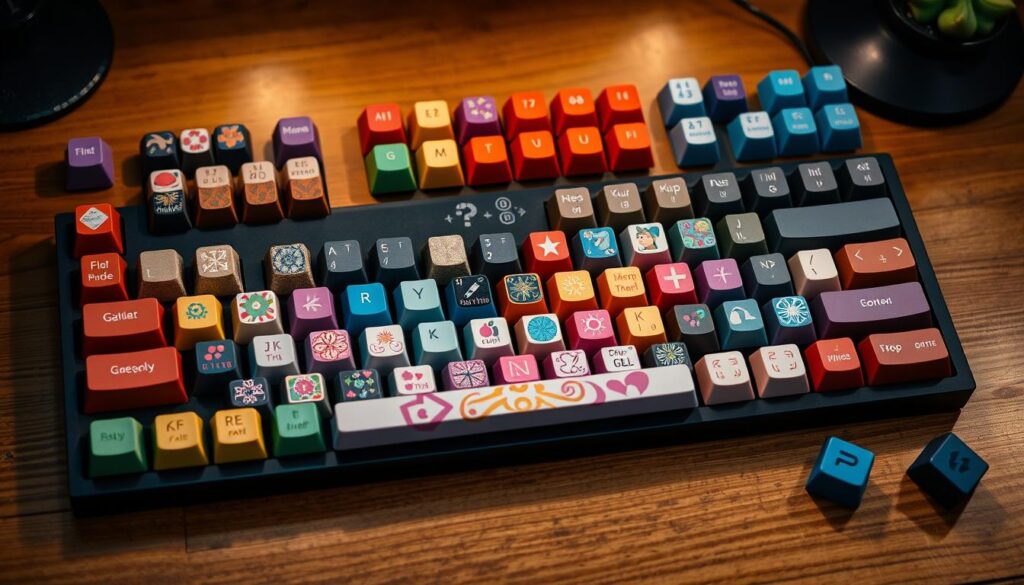
Artisan keycaps stand out in the world of keyboard personalization. These handcrafted pieces are miniature works of art. They often feature intricate designs, from fantasy creatures to pop culture icons. Collectors seek these rare keycaps, some paying hundreds for a single key.
Keycap materials play a crucial role in both aesthetics and performance. Popular options include:
- ABS plastic: Smooth and shiny
- PBT plastic: Durable with a textured feel
- Resin: Used for artisan keycaps, allowing complex designs
- Metal: Premium feel and weight
The rise of custom keycaps has sparked a thriving community. Enthusiasts share designs, trade rare sets, and collaborate on group buys. This passion for keyboard personalization extends beyond gaming, influencing office and home setups too.
As the trend grows, manufacturers are taking note. Many now offer customization options straight from the factory. This shift makes personalized keyboards more accessible to casual users. It’s clear that custom keycaps are more than a passing fad. They’re reshaping how we interact with our devices, one key at a time.
Smart Features and Software Integration
Gaming keyboards have evolved beyond basic input devices. They now offer smart features and software integration that enhance gameplay and user experience. Let’s explore some of these advancements.
Macro Programming Capabilities
Keyboard macros allow gamers to execute complex commands with a single keystroke. Modern keyboard software enables users to program intricate sequences of actions, saving time and improving efficiency in games.
Cloud Profile Storage
Cloud profiles have revolutionized how gamers store and access their keyboard settings. With this feature, users can save their custom configurations online and retrieve them on any compatible device. This eliminates the need to reprogram settings when switching computers or attending tournaments.
Cross-Platform Compatibility
Cross-platform gaming is now a reality with advanced keyboard software. Gamers can use their favorite peripherals across different devices and operating systems, maintaining a consistent experience whether playing on a PC, console, or mobile device.
| Feature | Benefit |
|---|---|
| Keyboard Macros | Streamlined gameplay, faster command execution |
| Cloud Profiles | Portable settings, easy access on multiple devices |
| Cross-Platform Support | Consistent gaming experience across various systems |
These smart features and software integrations have transformed gaming keyboards into powerful tools. They offer unprecedented customization and flexibility, allowing gamers to tailor their experience to their unique playstyle and preferences.
Future Trends in Gaming Keyboard Technology
The world of gaming keyboards is on the brink of exciting changes. Future gaming tech promises to revolutionize how we interact with our favorite games. Let’s peek into what’s coming next for these essential gaming tools.
Emerging Technologies
Haptic feedback is set to make a big splash in gaming keyboards. This tech will let players feel the action, adding a new layer to gaming experiences. Imagine feeling the rumble of explosions or the subtle vibrations of footsteps through your fingertips!
Artificial Intelligence Integration
AI-powered keyboards are no longer just sci-fi dreams. These smart devices could learn your gaming habits and adjust to your style. They might suggest key bindings or even predict your next move, giving you an edge in competitive play.
Sustainability in Gaming Keyboard Manufacturing
Eco-friendly gaming equipment is becoming a priority. Makers are looking at using recycled materials and cutting down on plastic waste. This shift towards green practices means gamers can enjoy their hobby while being kinder to the planet.
FAQ
What are the main types of switches used in gaming keyboards?
How does N-key rollover improve gaming performance?
What are the benefits of RGB lighting in gaming keyboards?
Are wireless gaming keyboards as responsive as wired ones?
What are macro keys, and how do they benefit gamers?
How do ergonomic keyboard designs improve gaming comfort?
What is the difference between low-profile and standard mechanical switches?
How does cloud profile storage benefit gamers who use multiple devices?
