
Why handheld docks are becoming essential gaming accessories
Anúncios
handheld docks are rapidly changing how gamers interact with portable consoles across the globe today.
The dramatic rise of powerful devices like the Steam Deck, Asus ROG Ally, and Lenovo Legion Go has redefined on-the-go gaming, yet their real potential emerges when connected to a stationary setup.
By bridging the gap between mobile flexibility and desktop performance, these docking stations transform compact handhelds into fully capable workstation-style powerhouses.
As display technologies advance and port requirements expand, gamers increasingly find that relying solely on built-in screens and limited USB-C connections restricts their overall experience.
Connecting external displays, high-speed wired Ethernet, and multiple peripherals turns a portable system into a versatile primary rig without demanding complex configurations.
Anúncios
Today, investing in a robust hub is no longer an afterthought but a central element of modern personal gaming setups.
What You Will Discover in This Guide
- Why Handheld Docks Are Vital: How docking hardware expands connectivity, display performance, and power delivery for portable devices.
- Key Advantages for Gamers: Practical gains in ergonomics, cooling efficiency, low-latency online play, and desktop-grade utility.
- Selecting the Right Station: Critical features to evaluate, including HDMI 2.1 specs, pass-through charging power, and port arrangements.
- Comparative Specs Overview: A detailed breakdown matching modern hub features against real-world gaming demands.
- Frequently Asked Questions: Clear answers addressing common technical queries, compatibility concerns, and setup performance.
What Are Handheld Docks and How Do They Work?
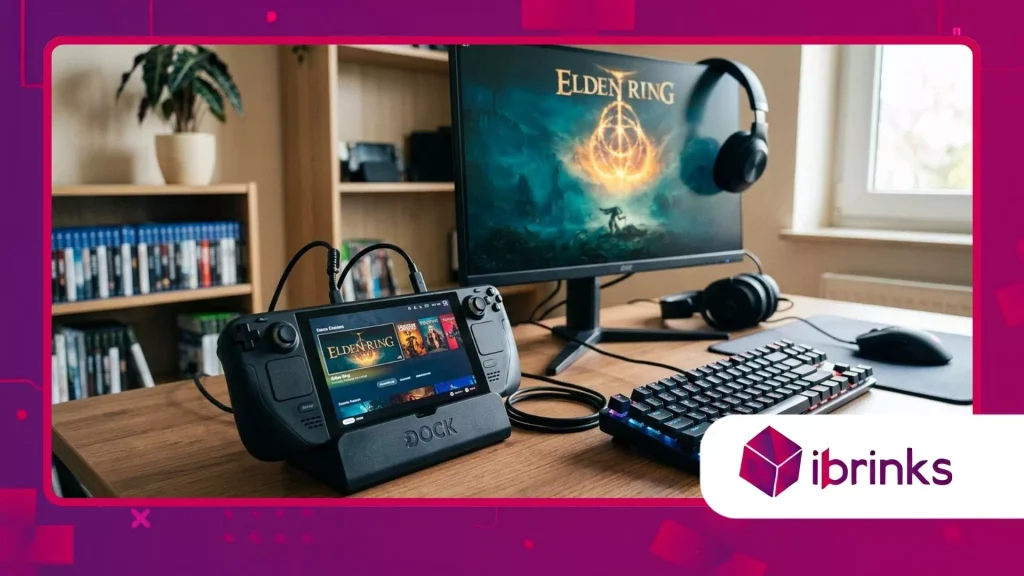
How Do These Hubs Upgrade Mobile Hardware?
Modern handheld docks function as centralized expansion bridges that routing power, video signals, and high-speed data through a single USB-C connection.
Inside these compact stations, specialized chipsets handle simultaneous display outputs, peripheral connectivity, and high-wattage power distribution without throttling host system performance.
By offloading cable strain and managing signal flow, they allow portable consoles to drive high-resolution monitors while drawing clean power continuously.
Integrating dedicated hardware interfaces turns your handheld from a standalone portable unit into an adaptable desktop console.
High-bandwidth USB controllers inside the station ensure that external keyboards, mice, and storage drives run with minimal latency during intense sessions.
This seamless hardware translation allows players to transition from couch gaming to full desk productivity in a single smooth step.
++ The rise of OLED QHD displays among PC gaming enthusiasts
Why Is Power Delivery Crucial for Performance?
Delivering adequate power via USB Power Delivery (PD) protocols remains a fundamental necessity for demanding handheld architectures.
Modern portable consoles require upward of 65W to 100W of clean input to sustain maximum performance profiles while charging internal batteries simultaneously.
A quality docking hub manages power allocation intelligently, ensuring system stability during heavy GPU workloads and preventing unexpected thermal throttling.
Without sufficient pass-through power, connected peripherals can cause voltage drops that force the main unit to reduce clock speeds.
Reliable docking stations incorporate advanced power management ICs that safeguard against overcurrent while supplying stable power to attached drives and peripherals.
Consequently, choosing a properly rated station protects internal hardware while unlocking peak computational capacity.
What Are the Key Advantages of Using a Dedicated Dock?
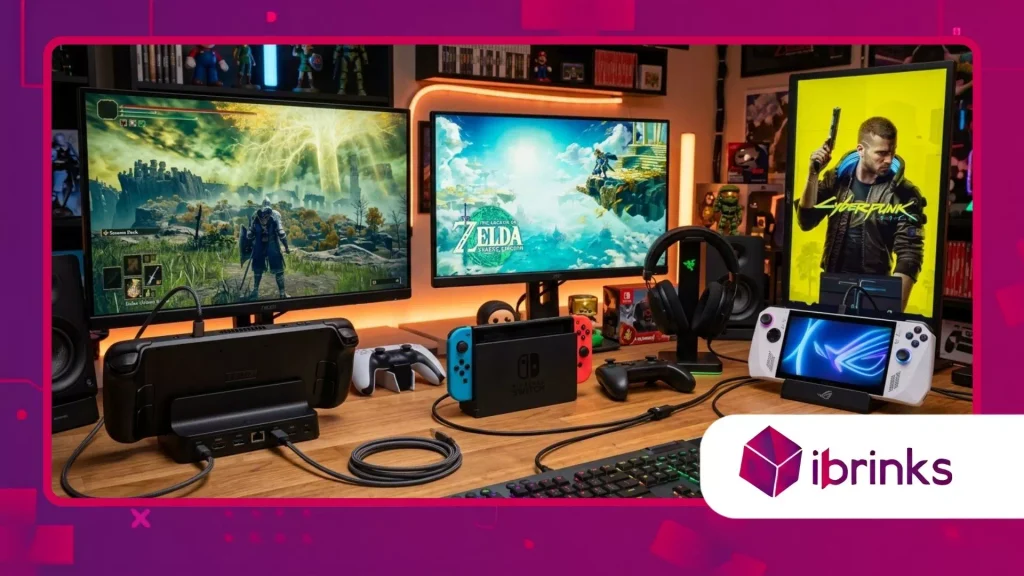
How Do They Solve Display and Connectivity Limits?
Connecting a portable system to a large monitor or 4K television instantly transforms personal entertainment spaces.
Superior handheld docks offer HDMI 2.1 or DisplayPort 1.4 output capable of driving crisp 4K resolutions at 120Hz refresh rates with Variable Refresh Rate (VRR) support.
This high display throughput eliminates visual tearing and delivers smooth frames that rival traditional home consoles and desktop tower rigs.
Beyond visual upgrades, physical port expansion solves the frustrating limitations of single-port handheld designs. Users gain immediate access to multiple USB-A ports, SD card readers for quick storage expansion, and dedicated audio jacks.
This comprehensive connectivity allows players to build complete workstation environments around a single lightweight portable console.
Also read: Why premium mousepads became performance gear for esports
Why Is Wired Networking and Cooling Essential?
Online multiplayer gaming demands stable, low-latency connections that Wi-Fi networks often fail to deliver consistently.
Integrated Gigabit or 2.5 Gbps Ethernet ports provide direct wired networking, dramatically reducing ping spikes and packet loss during competitive matches.
Furthermore, downloading massive modern game titles becomes significantly faster and more reliable over high-speed wired LAN interfaces.
Thermal management represents another crucial advantage provided by structured dock ergonomics. Elevating the handheld off flat surfaces exposes rear intake vents, maximizing airflow and lowering operating temperatures during prolonged play.
Think of the docking station as an anchor point that acts like a pit crew, constantly supplying cool air and direct power to keep the engine running at top speed.
Why Should You Invest in a Docking Station Today?
How Do Docks Turn Handhelds into PC Workstations?
Transforming a portable gaming device into a functional desktop workstation offers incredible economic and practical value for users.
By plugging in an external monitor, mechanical keyboard, and precision mouse, your handheld handles document editing, web browsing, and content creation effortlessly.
This multi-role versatility eliminates the need to purchase separate office PCs, saving money and desk space.
According to market analyses by Jon Peddie Research, the global PC gaming hardware market surpassed $40 billion, driven largely by flexible hybrid setups and multi-use peripherals.
Gamers increasingly favor hardware ecosystems that adapt instantly between mobile leisure and stationary productivity. Reliable handheld docks sit right at the center of this growing lifestyle shift.
Read more: Best PC cases for airflow and aesthetics
What Features Should You Look for Before Buying?
Selecting the ideal dock requires evaluating build quality, thermal clearance, and internal chip architecture. Ensure the physical cradle accommodates your specific device, especially if you use protective TPU cases or extended battery grips.
Additionally, verify that the USB-C cable connector uses an L-shaped design to prevent long-term stress on your handheld’s top port.
Pay strict attention to total port bandwidth and power specification ratings listed by reputable manufacturers. Look for at least 100W PD input capability and minimum USB 3.2 Gen 2 transfer speeds for external SSD storage.
Investing in future-proof specifications guarantees that your dock remains fully functional even when upgrading to next-generation handheld consoles.
Hardware Comparison and Performance Matrix
| Feature Parameter | Standard USB-C Hub | Mid-Range Dedicated Dock | Premium Gaming Station |
| Max Power Pass-Through | 60W – 85W PD | 85W – 100W PD | 100W – 140W PD |
| Video Output Capability | 4K @ 60Hz (HDMI 2.0) | 4K @ 60Hz / 2K @ 120Hz | 4K @ 120Hz / 8K @ 60Hz (HDMI 2.1) |
| Ethernet Speed | 100 Mbps – 1 Gbps | 1 Gbps RJ45 | 2.5 Gbps High-Speed LAN |
| Port Layout & Count | 3-4 Basic Ports | 5-6 Specialized Ports | 7+ High-Speed Ports + M.2 NVMe Slot |
| Thermal & Stand Design | Flat Dongle (No Stand) | Vertical Stand (Passive Vents) | Active Cooling Fan + Adjustable Stand |
Elevating Your Gaming Ecosystem for the Future
Adopting a high-performance station completely redefines what a portable console can accomplish in modern gaming setups.
Instead of viewing your handheld as a standalone mobile device, integrating a dock elevates it into the heart of an adaptable, multi-screen entertainment system.
As software titles grow more demanding, having guaranteed power, low-latency networking, and high-resolution video output ensures your setup remains competitive.
As portable chip architectures become more efficient, the line between handheld systems and traditional desktop hardware will continue to blur.
Equipping your desk with reliable handheld docks prepares your workspace for future hardware releases while maximizing your current setup right now.
Have you already upgraded your mobile console with a dedicated desktop dock? Share your favorite setup configurations and dock recommendations in the comments below!
Frequently Asked Questions
Can a single docking station work with different handheld brands?
Most modern docks utilizing standardized USB-C protocols work seamlessly across multiple handheld brands, including Steam Deck, ROG Ally, and Legion Go.
However, you must check physical fit, vent placement, and software compatibility to guarantee full performance.
Will using a dock increase my handheld’s gaming performance?
A docking station does not contain an internal GPU, so it does not directly add processing power. However, supplying maximum pass-through wattage enables system software to run in high-power “Turbo” modes that boost frame rates on external displays.
Is a 100W charger necessary when using a docking station?
Yes, using a 100W wall charger is highly recommended because the dock itself consumes roughly 10W to 15W to power attached ports.
A higher-wattage charger guarantees that your handheld receives its full required wattage without dropping out during heavy workloads.
Do docking stations cause screen lag on external televisions?
Quality docks supporting HDMI 2.1 or DisplayPort 1.4 introduce virtually zero input lag during transmission. To ensure the lowest latency, activate your television’s “Game Mode” and use certified high-speed display cables connected directly to the station.
Can I connect external hard drives and SSDs through the dock?
Absolutely, high-speed USB-A and USB-C ports on docking stations allow you to run game libraries directly from external SSDs. Some premium stations even feature built-in M.2 NVMe slots for clean, high-capacity internal storage expansion.
